SSR Water in Deferred Rendering
This post covers the water rendering system built for a custom DirectX 12 deferred rendering engine. The engine runs an Iris-compatible shader pipeline (the modding framework behind Minecraft Java Edition shader packs), and the water system is part of the EnigmaDefault ShaderBundle targeting a Complementary Reimagined visual style.
The system implements screen-space reflections via view-space ray marching with binary refinement, multi-layer normal distortion that simulates wind-driven waves, depth-based transparency that reveals the seabed in shallow water, and an underwater post-processing pipeline with colored volumetric light shafts, distance fog, and color attenuation.
Rendering pipeline architecture
Water rendering spans multiple passes in the deferred pipeline. SSR is computed inline during the gbuffers_water pass rather than deferred to a composite pass, matching ComplementaryReimagined’s approach where water reflection is resolved before writing to colortex0.
flowchart TD
    subgraph GBuffer["GBuffer Pass"]
        GT["gbuffers_terrain\nOpaque geometry"]
        GW["gbuffers_water\nForward lit + Inline SSR\n+ Depth alpha + Foam"]
    end

    subgraph Deferred["Deferred Pass"]
        D1["deferred1\nDeferred lighting\n+ Atmospheric fog\n+ Underwater distance fog"]
    end

    subgraph Composite["Composite Passes"]
        C0["composite\nReserved for opaque SSR"]
        C1["composite1\nRefraction + Underwater color\n+ Volumetric light\n+ Underwater VL attenuation"]
        C5["composite5\nTonemapping"]
    end

    GT --> Deferred
    Deferred --> GW
    GW -->|"colortex0: lit water + SSR\ncolortex2: perturbed normal\ncolortex4: material mask"| Composite
    C0 --> C1 --> C5
The gbuffers_water pass runs after deferred lighting, so colortex0 already contains the fully lit opaque scene. SSR samples colortex0 at reflected screen positions (which hit opaque surfaces rather than water), avoiding read-write hazards. Water itself receives forward lighting via CalculateLighting because it bypasses the deferred lighting pass.
Water surface normal distortion
The water surface appearance is driven by normal perturbation sampled from a shared cloud-water.png texture. RG channels store normal map data, and the alpha channel provides height information for parallax mapping.
Multi-layer normal sampling
Three frequency layers combine to produce the surface normal, each scrolling at a different speed to simulate wind:
float2 SampleWaterNormals(float2 waterPos, float2 wind, float geoFresnel)
{
    float2 normalMed   = waterTex.Sample(sampler0, waterPos + wind).rg - 0.5;
    float2 normalSmall = waterTex.Sample(sampler0, waterPos * 4.0 - 2.0 * wind).rg - 0.5;
    float2 normalBig   = waterTex.Sample(sampler0, waterPos * 0.25 - 0.5 * wind).rg - 0.5;
    normalBig          += waterTex.Sample(sampler0, waterPos * 0.05 - 0.05 * wind).rg - 0.5;

    float2 normalXY = normalMed * 0.5 + normalSmall * 1.0 + normalBig * 0.3;

    // Attenuate bumpiness at grazing angles to reduce noise
    float bumpScale = 6.0 * (1.0 - 0.7 * geoFresnel) * (WATER_BUMPINESS * 0.01);
    normalXY *= bumpScale * 0.035;
    return normalXY;
}| Layer | UV Scale | Wind Multiplier | Weight | Purpose |
|---|---|---|---|---|
| Medium | 1.0x | 1.0x | 0.5 | Mid-frequency ripples |
| Small | 4.0x | 2.0x (reversed) | 1.0 | High-frequency detail |
| Big | 0.25x + 0.05x | 0.5x + 0.05x | 0.3 | Low-frequency ocean swell |
The wind vector is derived from frameTimeCounter and WATER_WAVE_SPEED, scrolling the UV coordinates over time. The small layer scrolls opposite to the medium layer (-2.0 * wind), creating an interference pattern that mimics cross-wave motion. The big layer combines two sub-frequencies (0.25x and 0.05x) for broad, slow-moving swells.
At grazing angles, bumpiness scales down via bumpScale *= (1.0 - 0.7 * geoFresnel). Steep viewing angles receive the full bump intensity, while shallow view angles reduce bumpiness by 70%. This curbs noise where SSR is closest to its sampling limits.
Normal safety correction
After calculating the perturbed normal, a safety check prevents the reflection direction from pointing downward into the water. If the reflected view vector produces a negative dot product with the geometric normal, the perturbed normal blends back toward the flat geometric normal:
float3 reflectCheck = reflect(nViewPos, normalize(result.normalM));
float  norMix       = pow(1.0 - max(dot(geoNormal, reflectCheck), 0.0), 8.0) * 0.5;
result.normalM      = lerp(result.normalM, geoNormal, norMix);
This keeps reflection angles from exceeding 180 degrees at extreme perturbations, avoiding artifacts where the surface reflects the underwater scene.
Screen-space reflections
The SSR implementation uses view-space ray marching with exponential step growth and binary refinement, ported from ComplementaryReimagined’s Method 1 (reflections.glsl) to HLSL with engine-specific coordinate conversions.
Ray marching algorithm
flowchart LR
    A["Water Fragment"] --> B["Transform to\nView Space"]
    B --> C["Compute Reflect\nDirection"]
    C --> D["Bias Start Position\nAvoid Self-Hit"]
    D --> E["Exponential\nStep March"]
    E --> F{"Depth\nHit?"}
    F -->|No| G{"Screen\nBounds?"}
    G -->|Inside| E
    G -->|Outside| H["Miss: Use\nSky Fallback"]
    F -->|Yes| I["Binary\nRefinement\n10 iterations"]
    I --> J["Border Fade\n+ Proximity Reject"]
    J --> K["Sample colortex0\nat Hit UV"]
The algorithm marches in view space rather than screen space to maintain accurate distance calculations:
-
View space setup: Transform the world position and normal into view space using
gbufferView, and calculate the reflection direction viareflect(normalize(viewPos), viewNormal). -
Start bias: Offset the ray origin along the surface normal by
lViewPos * 0.025 + 0.05to prevent self-intersection. Distant fragments receive a larger bias proportional to view distance. -
Exponential stepping: Each step doubles in size (
stepVec *= 2.0), covering more distance as the ray travels further. An Interleaved Gradient Noise offset (0.95 + 0.1 * dither) staggers sample positions across neighboring pixels to break up banding. -
Depth comparison: At each step, project the ray position to screen space via
SSR_ViewToScreen(View to Render to Clip to NDC to Screen). Sampledepthtex1(opaque-only depth) to avoid intersecting other water pixels. Iferr * 0.333 < length(stepVec), the ray marks a candidate hit. -
Binary refinement: On hit detection, back up and advance in 10% increments for up to
SSR_BINARY_STEPS = 10iterations for sub-pixel precision.
// Core ray march loop (simplified)
for (int i = 0; i < SSR_MAX_STEPS; i++)
{
    float3 screenPos = SSR_ViewToScreen(rayPos);

    // Boundary check
    if (abs(screenPos.x - 0.5) > 0.525 || abs(screenPos.y - 0.5) > 0.525)
        break;

    // Sample opaque depth (depthtex1 avoids water self-hits)
    float  sceneDepth   = depthtex1.Sample(sampler1, screenPos.xy).r;
    float3 sceneViewPos = ReconstructViewPosition(screenPos.xy, sceneDepth, ...);

    float err = length(rayPos - sceneViewPos);
    if (err * 0.333 < length(stepVec))
    {
        refinements++;
        if (refinements >= SSR_BINARY_STEPS) { hit = true; break; }
        accumStep -= stepVec;
        stepVec   *= 0.1;  // Binary refinement: 10% step size
    }

    stepVec   *= 2.0;  // Exponential growth
    accumStep += stepVec * (0.95 + 0.1 * dither);
    rayPos     = start + accumStep;
}
SSR quality and confidence
Hit points pass through several confidence filters before contributing to the reflection:
| Filter | Formula | Purpose |
|---|---|---|
| Border fade | pow(max(cdist.x, cdist.y), 50) | Hard cutoff near screen edges |
| Edge factor | (1 - cdist^8)^(2 + 3*Luma) | Luminance-adaptive gradual fade |
| Proximity | saturate(posDif + 3.0) | Reject hits too close to source |
| Smoothness | * smoothness | Material roughness modulation |
Combining these factors (border * refFactor * proxFade * smoothness) gives clear reflections in the center of the viewport that fade smoothly near the edges.
Sky reflection fallback
When SSR misses because a ray leaves screen bounds or finds no intersection, a sky-tinted fallback provides the base color. The fallback interpolates between night and day tones based on sunVisibility^2:
float3 skyReflectColor = lerp(WATER_SKY_REFLECT_NIGHT, WATER_SKY_REFLECT_DAY, sunVis2);
// Night: float3(0.02, 0.03, 0.06)  Day: float3(0.35, 0.55, 0.85)
Upward-facing reflections receive more sky color (skyBlend = lerp(0.3, 1.0, max(reflectDir.z, 0.0))), while downward reflections stay darker. The final reflection blends SSR over this fallback: lerp(skyFallback, ssr.color, ssr.alpha).
Grazing viewing angles
When the camera sits nearly parallel to the water surface, reflected rays travel horizontally across the screen, requiring many steps to find intersections. At these angles, the Fresnel term pushes water toward full opacity and maximum reflectivity, which makes any ray marching noise more noticeable.
The system handles this through grazing-angle normal attenuation, exponential step growth, and edge fading. Some residual noise remains at shallow angles, which is an expected limitation of screen-space ray tracing.
Depth-based transparency
A constant alpha makes water look flat. Shallow water near shorelines should reveal the seabed, while deep ocean water should appear opaque. The shader reads depthtex1 (the opaque-only depth buffer) to find the distance between the water surface and the nearest opaque geometry below it:
float3 waterViewPos  = mul(gbufferView, float4(worldPos, 1.0)).xyz;
float  waterViewDist = length(waterViewPos);

float3 opaqueViewPos = ReconstructViewPosition(screenUV, opaqueDepth, ...);
float  opaqueViewDist = length(opaqueViewPos);

float depthDiff     = max(opaqueViewDist - waterViewDist, 0.0);
float waterFogAlpha = max(0.0, 1.0 - exp(-depthDiff * WATER_DEPTH_FOG_DENSITY));
alpha *= WATER_DEPTH_ALPHA_MIN + (1.0 - WATER_DEPTH_ALPHA_MIN) * waterFogAlpha;
The exponential decay formula 1 - exp(-depth * density) produces a smooth curve: shallow depth yields low fog (high transparency), while deeper water saturates toward 1.0. A baseline minimum (WATER_DEPTH_ALPHA_MIN = 0.6) preserves surface visibility even in zero-depth water.
After depth fog modifies the alpha, the Fresnel term is applied again: alpha = lerp(alpha, 1.0, fresnel^4). At grazing angles, water appears opaque regardless of depth, matching real-world water where you cannot see through the surface at shallow angles.
Shoreline water culling
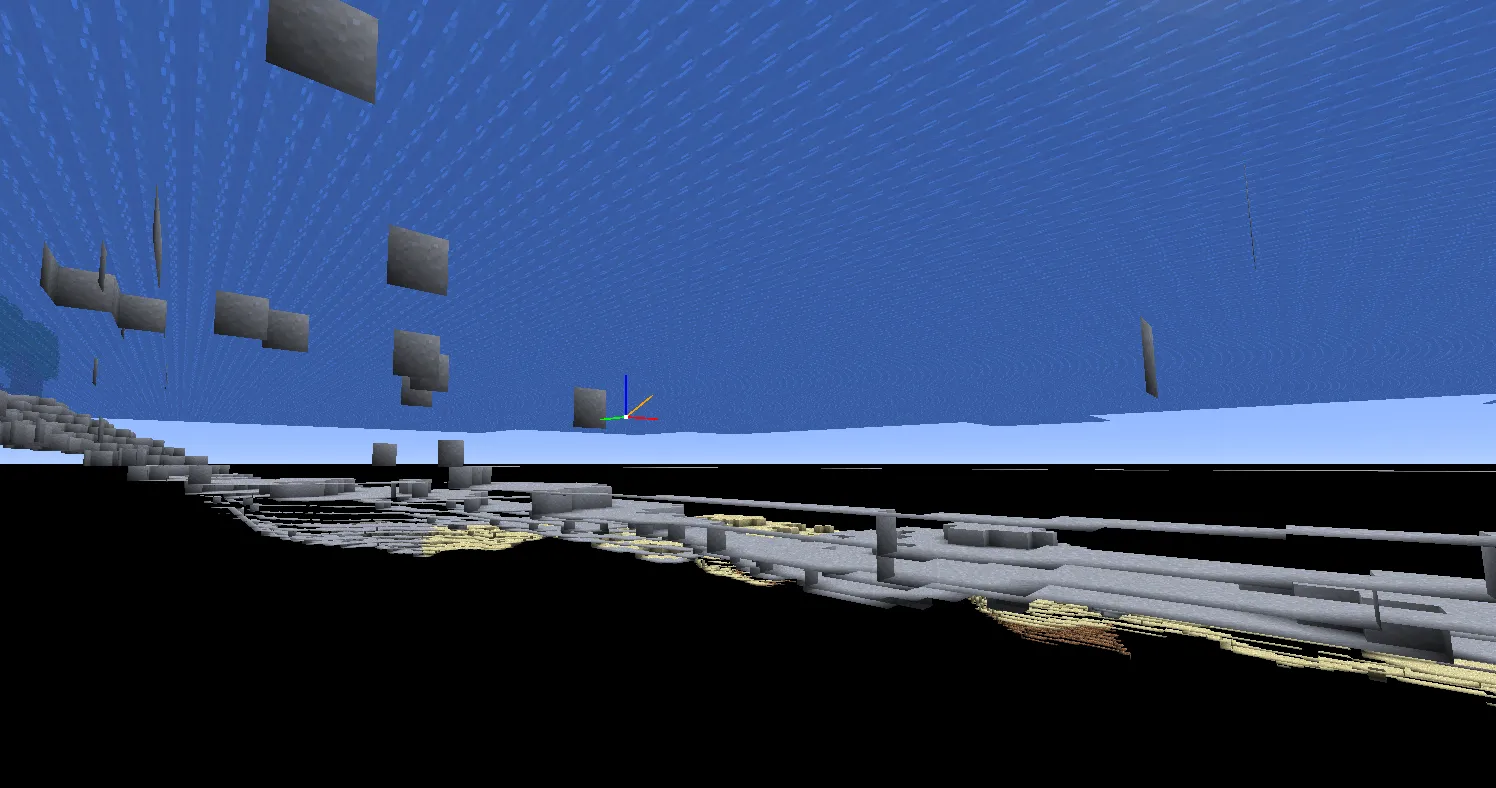
Before pixel shading begins, ChunkMeshHelper eliminates unnecessary water geometry during chunk mesh generation. ShouldRenderFace() applies three culling rules for water blocks:
-
Water-to-water culling:
LiquidBlock::SkipRendering()checks whether the neighboring block is the same fluid. If both sides are water, the shared face is omitted, removing all interior faces between adjacent water blocks. -
Water-to-solid culling: When a water face borders a solid block (
CanOcclude() == true), that face is culled. Water blocks resting against dirt, stone, or sand have their hidden faces removed during mesh generation, keeping occluded geometry off the GPU. -
Backface generation for underwater viewing: The top surface of a water block generates a backface with inverted normals and reversed winding order. This renders the surface from both above and below without doubling face counts on submerged interior faces.
// Water-to-solid culling (ChunkMeshHelper.cpp)
if (neighborBlock->CanOcclude())
{
    if (currentRenderType == RenderType::TRANSLUCENT
        && !currentBlock->GetFluidState().IsEmpty())
    {
        return false;  // Water face against solid block: cull
    }
}
This CPU-side culling runs once during chunk mesh rebuilds, leaving zero per-frame GPU cost. The depth-based alpha system in the pixel shader then handles visual transitions where shallow water meets the shore, supplemented by shoreline foam.
Fresnel and reflection blending
The Fresnel coefficient determines how much reflection is visible relative to the water surface color. The implementation uses a cubic curve with a fixed base:
float fresnel  = saturate(1.0 + dot(normalM, -viewDir));
float fresnelM = fresnel^3 * 0.85 + 0.15;
The + 0.15 term ensures at least 15% reflection even when looking straight down. At grazing angles, fresnelM approaches 1.0. The final color blends the lit water surface with the reflection:
waterColor = lerp(litWaterColor, reflectionColor, fresnel * reflectMult);Underwater, reflectMult drops to 0.25, reducing reflection strength to match the lower reflectivity of the water-to-air boundary from below.
Day and night lighting
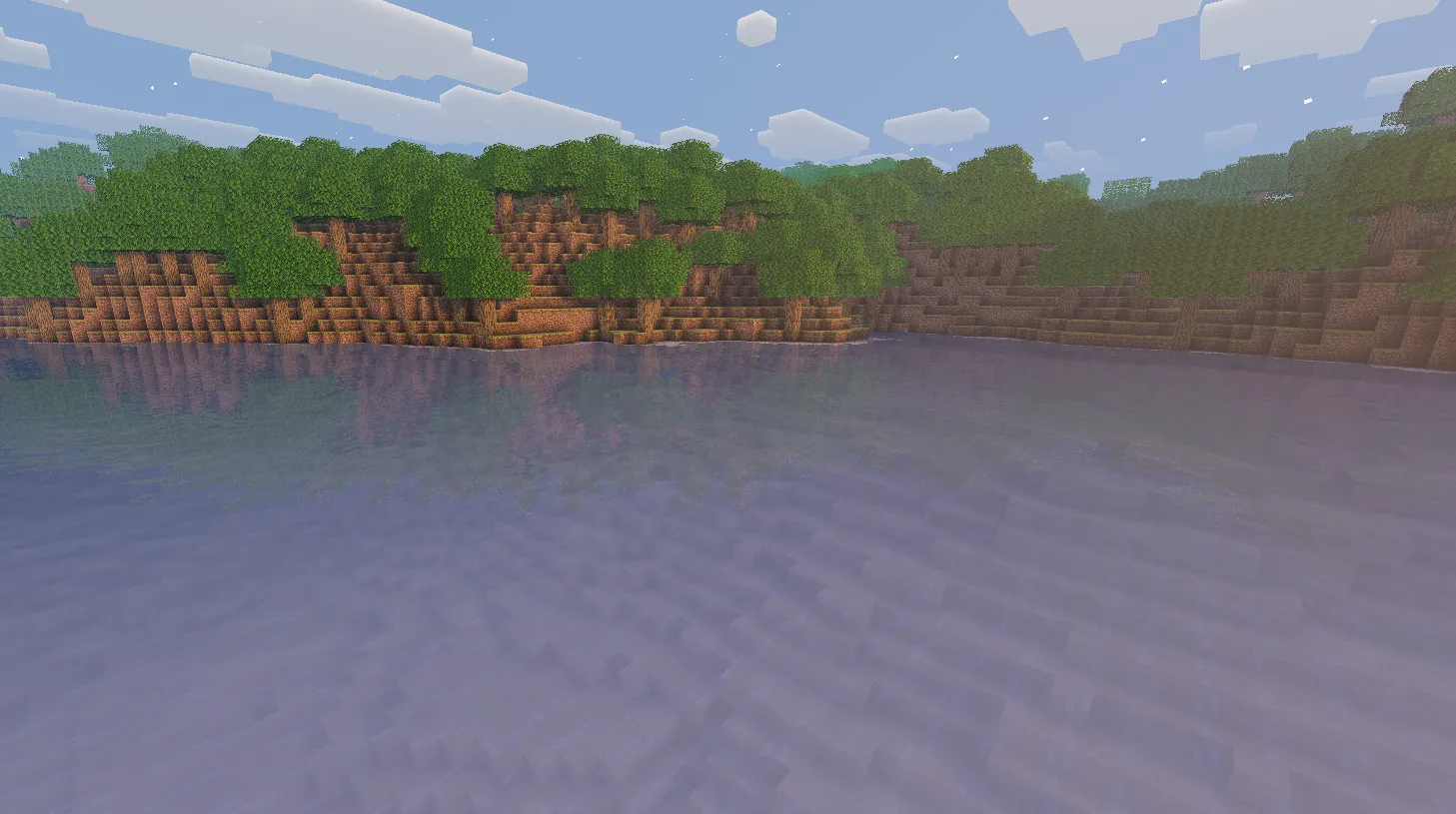
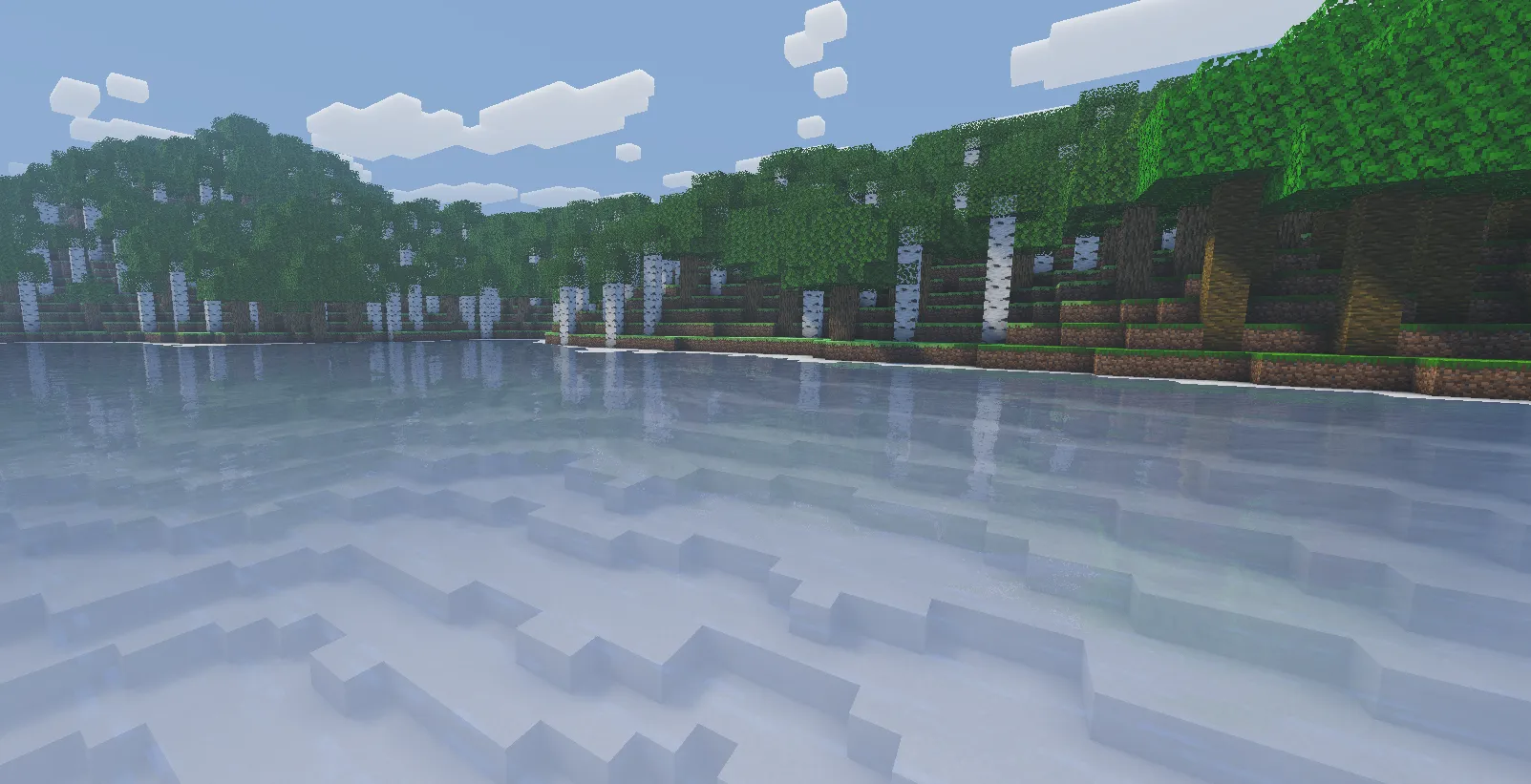
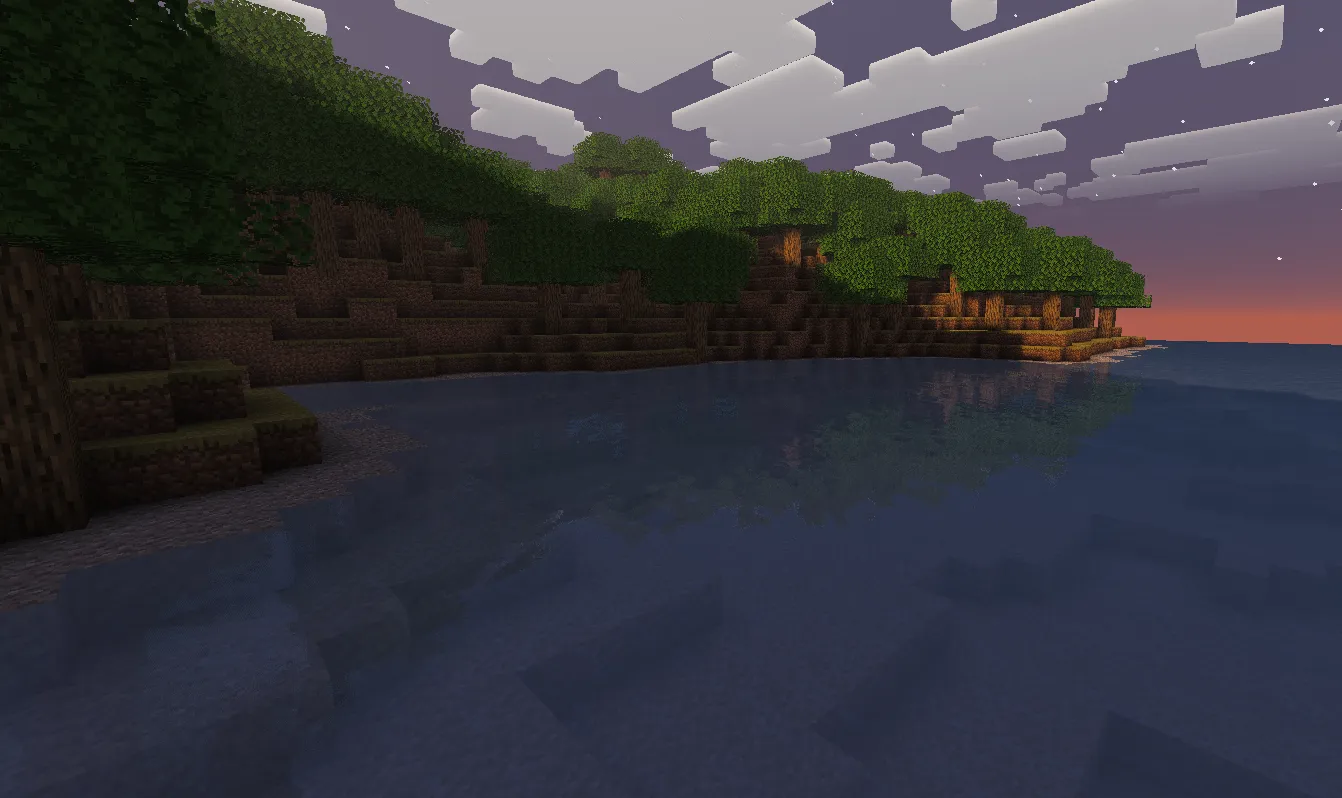
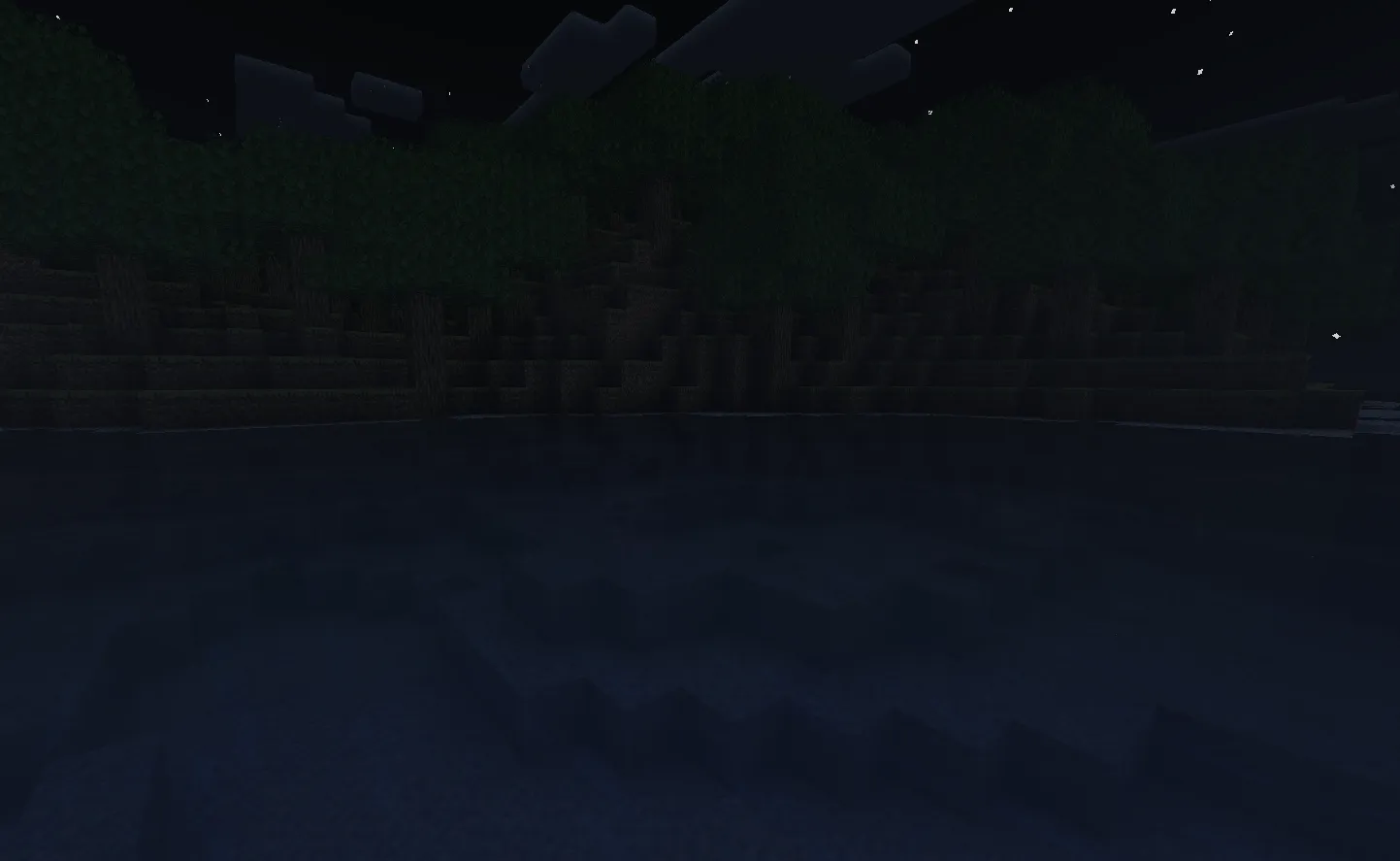
Water rendering responds to time of day through several parameters: sky reflection color transitions between warm daytime tones and cool night tones, forward lighting shifts from sunlight to moonlight, and depth fog color follows day and night presets.
Underwater effects
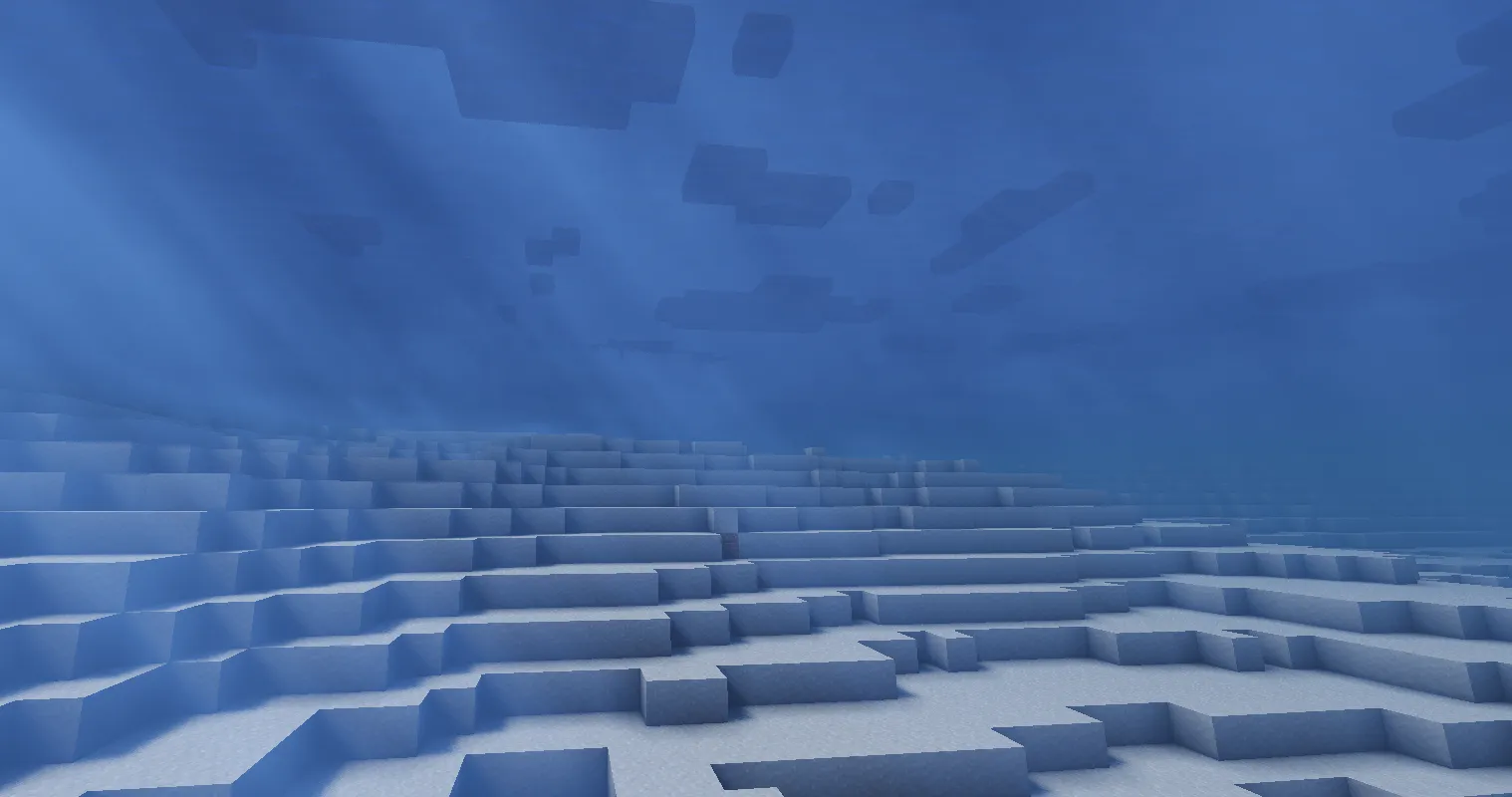
When the camera submerges, the pipeline enables underwater post-processing across multiple passes.
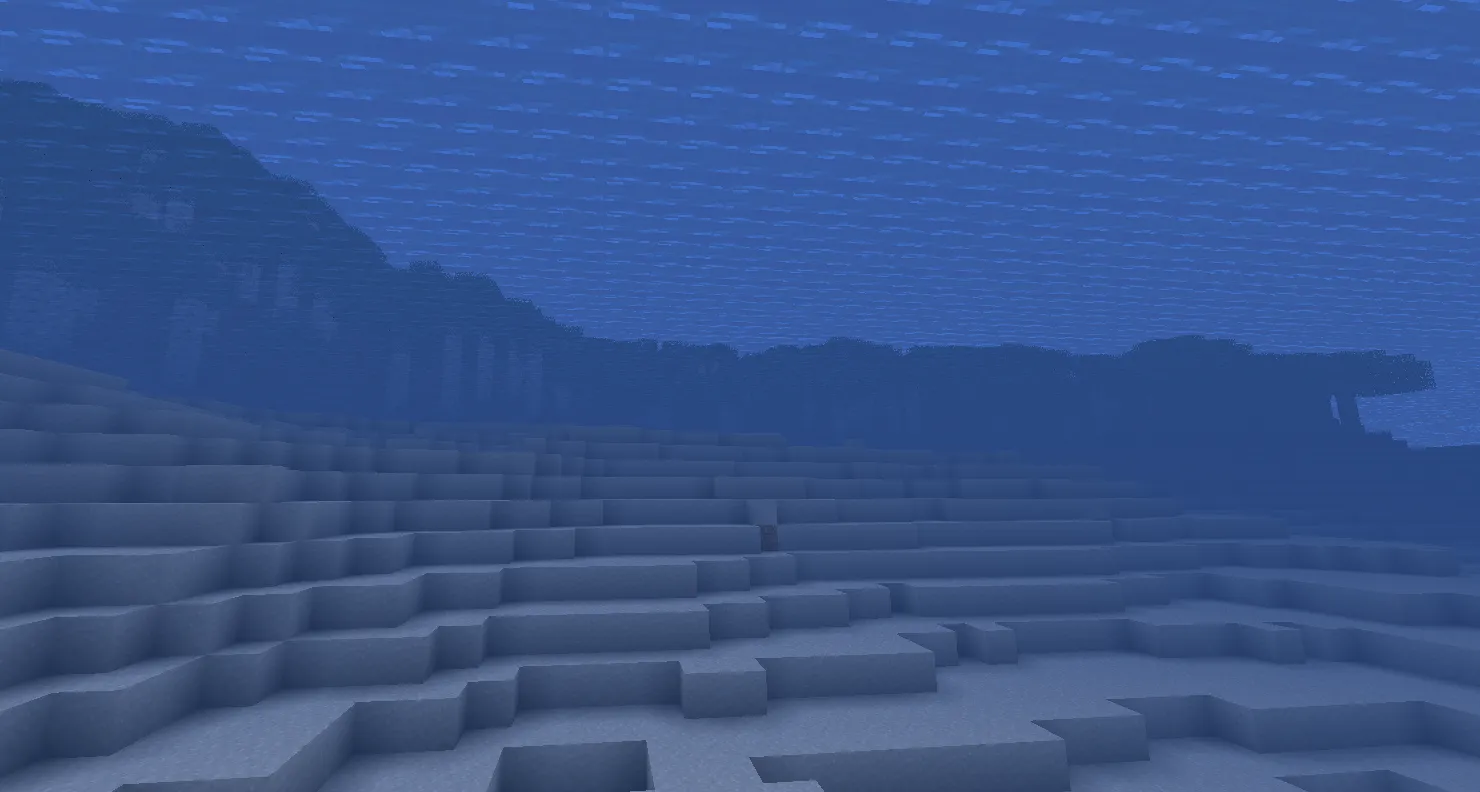
Underwater distance fog
Applied in deferred1, underwater fog uses a squared exponential curve:
float fog    = (dist / WATER_UW_FOG_DISTANCE) * (dist / WATER_UW_FOG_DISTANCE);
float factor = 1.0 - exp(-fog);
The squared term keeps the near field clear while attenuating smoothly with distance. At 48 blocks (WATER_UW_FOG_DISTANCE), fog reaches roughly 63%; at 96 blocks, it reaches 98%. The color blends between WATER_FOG_COLOR_NIGHT and WATER_FOG_COLOR_DAY using sunVisibility^2.
Underwater color attenuation
In composite1, a color multiplier simulates how water absorbs light by wavelength: red is absorbed fastest, green moderately, and blue slowest:
// Applied in gamma space BEFORE pow(2.2) linearization
float3 underwaterMult = float3(0.80, 0.87, 0.97) * 0.85;
sceneColor *= underwaterMult;
// Later: sceneColor = pow(sceneColor, 2.2);
Applying this in gamma space before linearization deepens the effect: a gamma multiplier of 0.68 becomes pow(0.68, 2.2) = 0.43 in linear space, yielding a 57% reduction rather than the 32% that direct linear application would produce. Sky pixels are replaced with the water fog color to conceal unloaded chunk boundaries.
Underwater volumetric light
Underwater volumetric light requires adjustments to keep shafts through the water surface visible and balanced:
- Forced scene intensity:
vlSceneIntensity = 1.0skips the overhead sun dimming that normally reduces volumetric light at noon. - Shortened ray march:
maxDist = min(maxDist, 80.0)caps the ray march distance, avoiding wasted samples in murky water. - Dual shadow test: The system checks both
shadowtex0(includes water) andshadowtex1(opaque only). Whenshadow0 < 0.5(shadowed by water) butshadow1 > 0.5(not occluded by opaque geometry), the sample lies in a colored light shaft. The color is read fromshadowcolor1and squared for intensity. - Fully lit sample zeroing: Fully lit samples (
shadow0 > 0.5) have no shadow caster above them. These are zeroed underwater so volumetric light comes only from colored shafts passing through water, preventing white shafts from washing out the scene. - Volumetric attenuation: Accumulated volumetric light is scaled by
(underwaterMult * 0.71)^2, matching the water’s absorption profile.
A noise texture (noise.png) provides dithering through its green channel, using Interleaved Gradient Noise to stagger sample depths and prevent banding.
Comparison with vanilla rendering
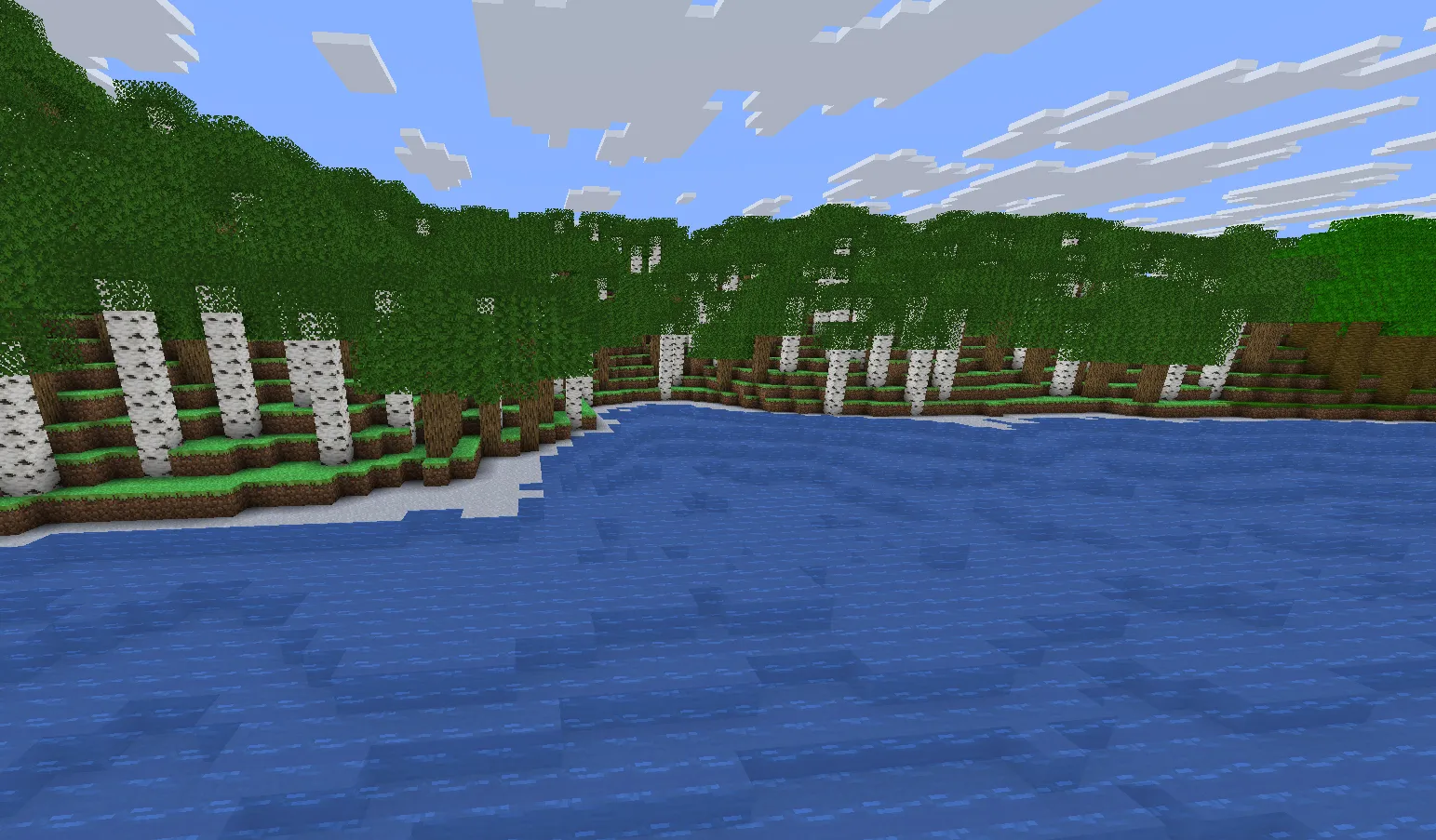
The engine supports both vanilla rendering and the EnigmaDefault ShaderBundle as swappable pipelines. The vanilla path uses flat-shaded water without SSR, depth transparency, or underwater fog.
Configuration options
All water parameters are exposed in settings.hlsl as compile-time defines with slider ranges, following the Iris/OptiFine shader options convention:
| Parameter | Default | Range | Purpose |
|---|---|---|---|
WATER_REFLECT_QUALITY | 2 | 0, 1, 2 | 0=off, 1=sky fallback, 2=SSR + sky |
SSR_MAX_STEPS | 38 | fixed | Ray march maximum iterations |
SSR_BINARY_STEPS | 10 | fixed | Binary refinement iterations |
WATER_BUMPINESS | 80 | 1 to 200 | Normal map intensity |
WATER_WAVE_SPEED | 2 | 0 to 10 | Wind animation speed |
WATER_DEPTH_FOG_DENSITY | 0.075 | fixed | Depth transparency decay rate |
WATER_DEPTH_ALPHA_MIN | 0.6 | fixed | Minimum alpha at zero depth |
WATER_FOAM_I | 50 | 0 to 200 | Shoreline foam intensity |
WATER_REFRACTION_INTENSITY | 100 | 0 to 300 | Screen-space refraction strength |
WATER_ALPHA_MULT | 100 | 25 to 400 | Overall transparency multiplier |
WATER_VL_STRENGTH | 1.0 | 0.0 to 2.0 | Underwater volumetric light intensity |
WATER_CAUSTICS_STRENGTH | 1.0 | 0.0 to 3.0 | Underwater caustics intensity |
Design decisions
Inline SSR over deferred reflection
SSR is calculated directly in gbuffers_water rather than deferred to a composite pass. This avoids allocating extra render targets for intermediate reflection data and removes a full-screen composite pass for an effect that touches only water pixels. While opaque reflective surfaces (like ice or metal) will eventually need their own composite path, water is the primary reflector and benefits from the simplified flow.
Depth-based transparency
Rather than relying on geometric trimming for shallow shorelines, depth fog handles the transition in the shader. Zero-depth water turns mostly transparent, shoreline foam covers the boundary, and Fresnel re-application keeps grazing angles opaque without requiring extra CPU culling logic.
Gamma-space underwater attenuation
Applying color attenuation in gamma space before linearization produces stronger absorption without extreme multipliers. A gamma-space value of 0.68 provides the same darkening as a linear-space 0.43, offering smoother falloff in darker areas.
Dual shadow sampling for colored shafts
Underwater volumetric lighting compares shadowtex0 against shadowtex1 to distinguish opaque terrain shadows from water shadows. This produces colored shafts through the water surface without a separate translucent shadow pass, while zeroing unoccluded samples prevents white shafts from washing out the scene.
Tunable shader configuration
Artistic parameters reside in settings.hlsl as compile-time defines with slider ranges matching the Iris convention. Settings like bumpiness, wave speed, transparency, and reflection quality can be tuned without editing shader code, and unused code branches are compiled out.
Looking For More?
Check out some of our other blogs if you haven't already!