EurekaRetail Snapshot: Bringing In-World Commerce to Minecraft
We just packaged the first playable snapshot build for EurekaRetail, our retail gameplay module targeting Minecraft 1.21.1 on NeoForge.
If you want to read about the technical architecture behind the mod (our controller-less spatial AABB engine, server authority, and atomic settlement pipelines), see the companion EurekaBusiness Technical Architecture Project. In this post, we focus on the game design: why we built an in-world retail mod, how store management feels in survival gameplay, and where the project goes from here.
Why an in-world economy mod?
Minecraft has had economy mods for over a decade. Most follow a familiar pattern: you type a chat command like /shop, an inventory chest GUI opens, you click an icon to sell fifty cobblestone, and a bank balance in chat increases by thirty coins.
That approach fits competitive minigame servers, but it leaves out physical space, architecture, and in-world interaction. When commerce happens entirely inside menus, building a market square or storefront is purely cosmetic; transactions have no real link to the blocks you place.
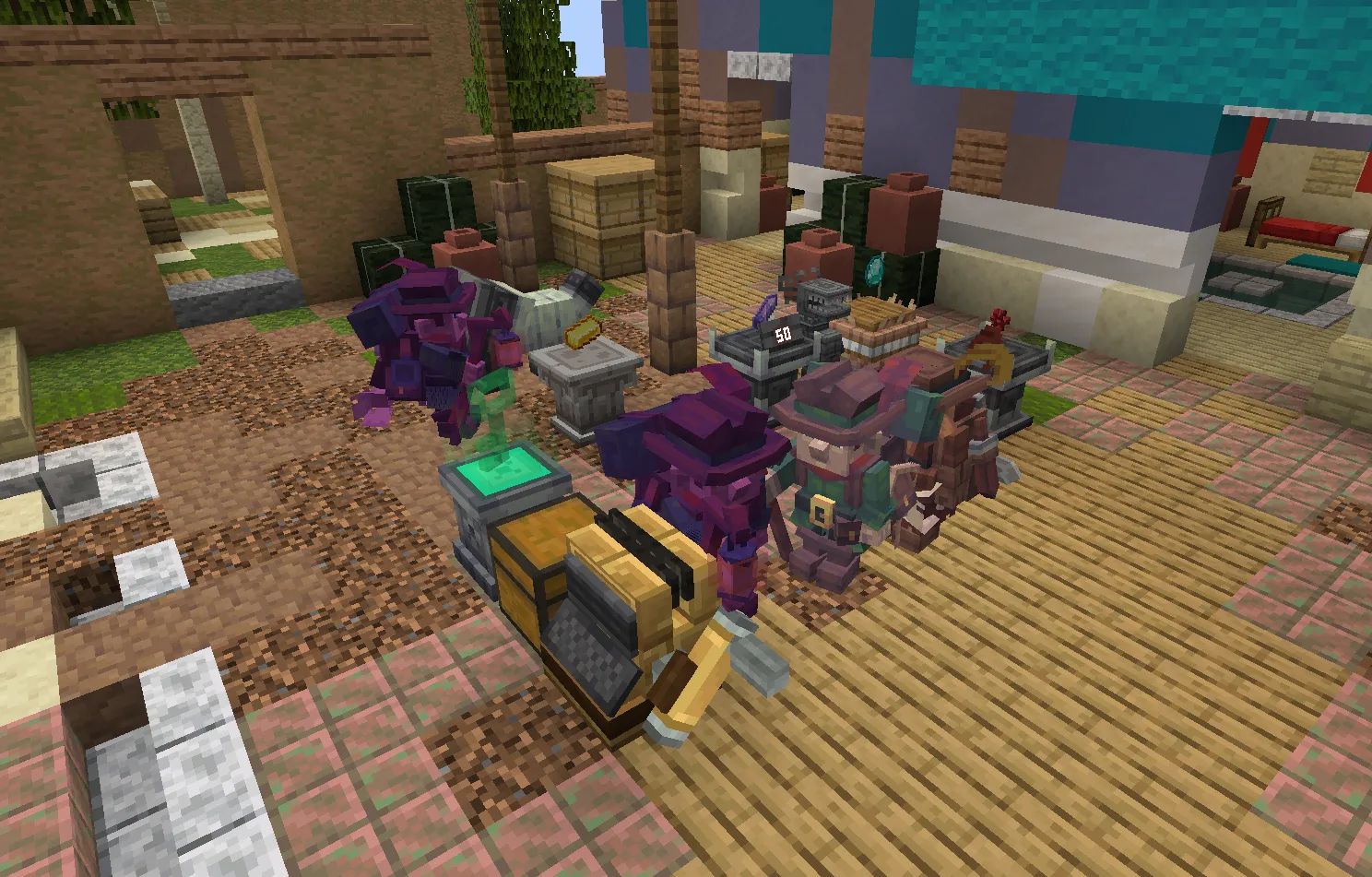
EurekaBusiness focuses on commerce that happens directly in the world:
Goods sit in the open on display pedestals. A bakery display holds bread and pies on wooden counters with visible price tags. Opening a shop, stocking shelves, and taking customer payments involve physical blocks and in-world tools instead of chat commands. Visiting customers are autonomous NPCs that walk through aisles, react to pricing through overhead reaction icons, and line up at a checkout counter, making sales success or failure visible directly on the shop floor.
Setting up a store
Running a store in EurekaRetail begins with laying out the physical space. Using the Shop Configurator, you mark the store boundary, define the front entrance, and set an exit.
Opening the store uses a physical key device:
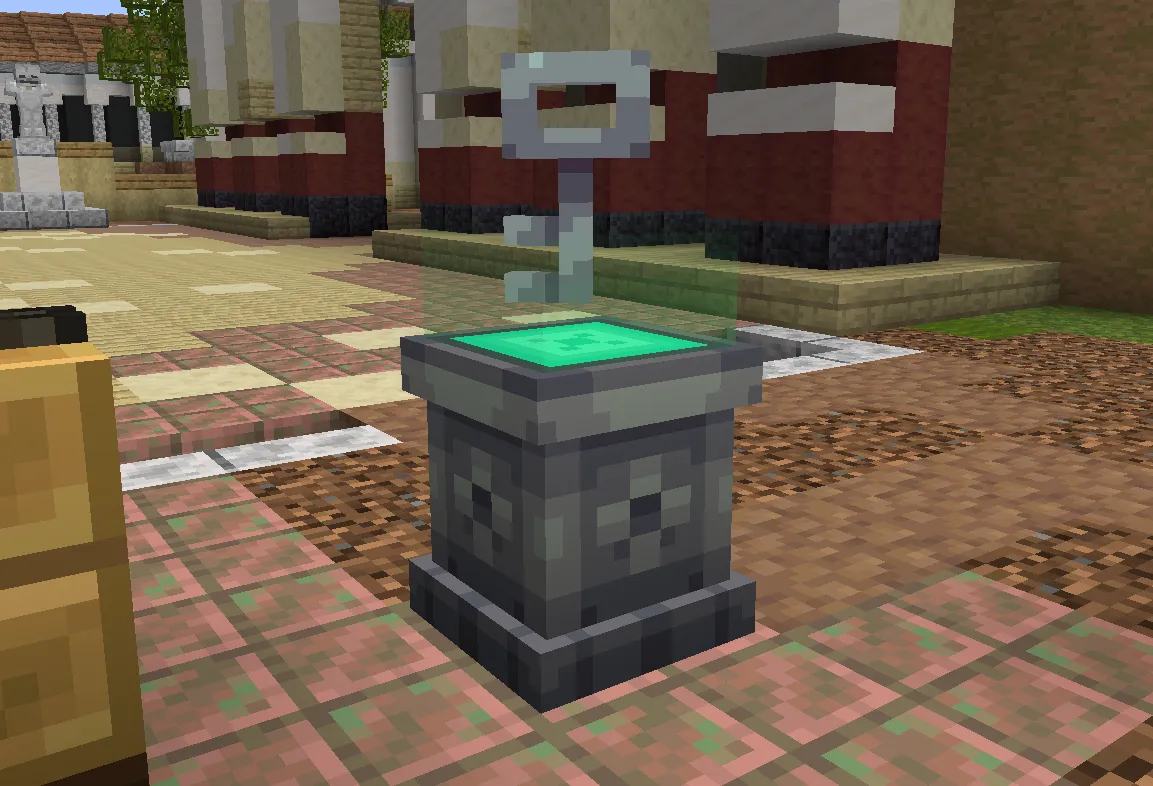
You craft a Shop Key and sneak right-click it onto your store key device. This binds the key to that store and registers your name as the storekeeper. Inserting the key and activating the device powers twin energy columns, signaling that the store is open. Removing the key to close for the night dims the lights, and remaining customers finish their purchases before exiting.
Display pedestals and price tags
To sell items, you place display pedestals across the shop floor. Each pedestal holds one item type up to its natural stack limit, whether that is 64 potatoes or a single enchanted sword.
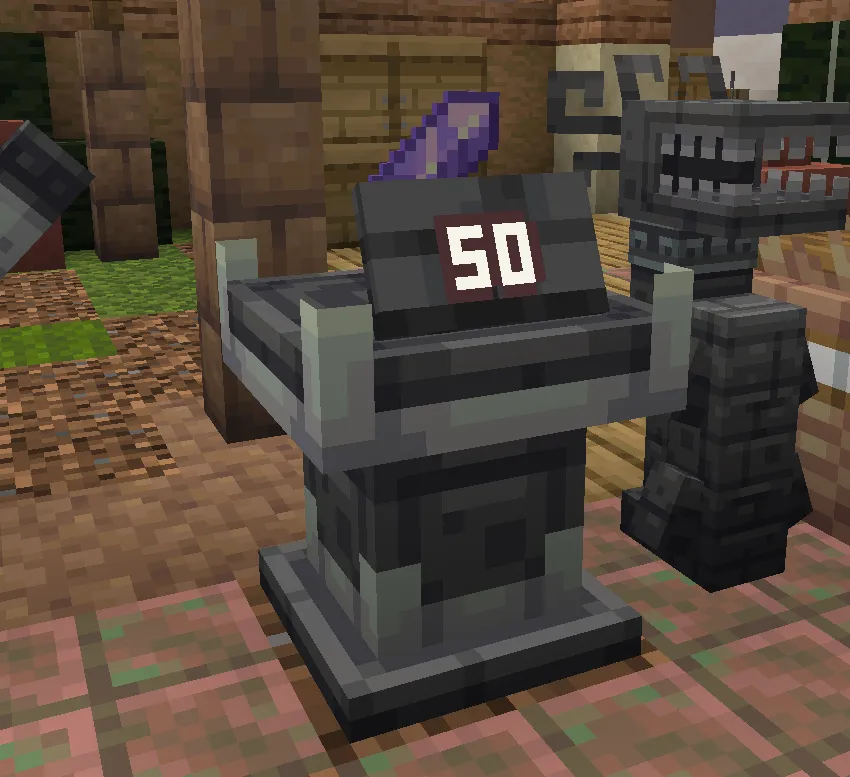
To set a price, you insert a Price Tag module into a pedestal augment slot. A polished deepslate plate appears above the pedestal, tilted back at a 22.5-degree viewing angle. Configuring the price in the pedestal interface displays the number on the board. Walking customers check that board before deciding to buy.
Customer behavior and preferences
Unlike vanilla trading setups where villagers are often confined to single-block spaces, EurekaRetail customers are autonomous visitors that enter through designated doors.
Customer interest depends on what you stock:
- Miners look for picks, torches, raw ores, and building blocks.
- Alchemists and mages search for brewing supplies, glowstone, potions, and enchanted books.
- Adventurers buy weapons, cooked rations, and armor.
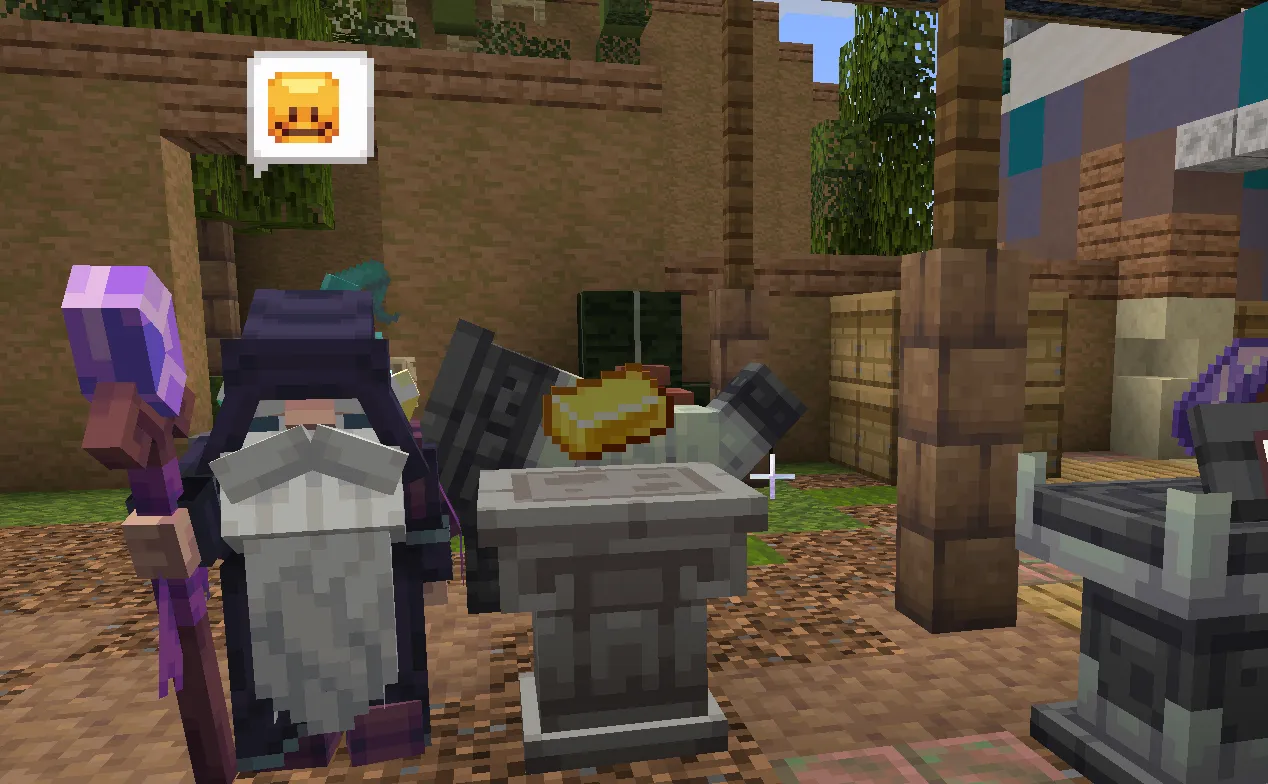
When a customer pauses in front of a pedestal, a reaction bubble shows their impression:
- Green sparkles mean the item is underpriced; the customer buys immediately.
- A smile indicates fair pricing, encouraging the customer to browse for additional goods.
- Sweat means the price is high; the customer may buy if needed, but patience drops.
- A storm icon means the price is excessive; the customer leaves their basket behind and walks out.
The checkout counter
Once customers finish selecting items, they move into the queue zone and wait in line at the cash register.
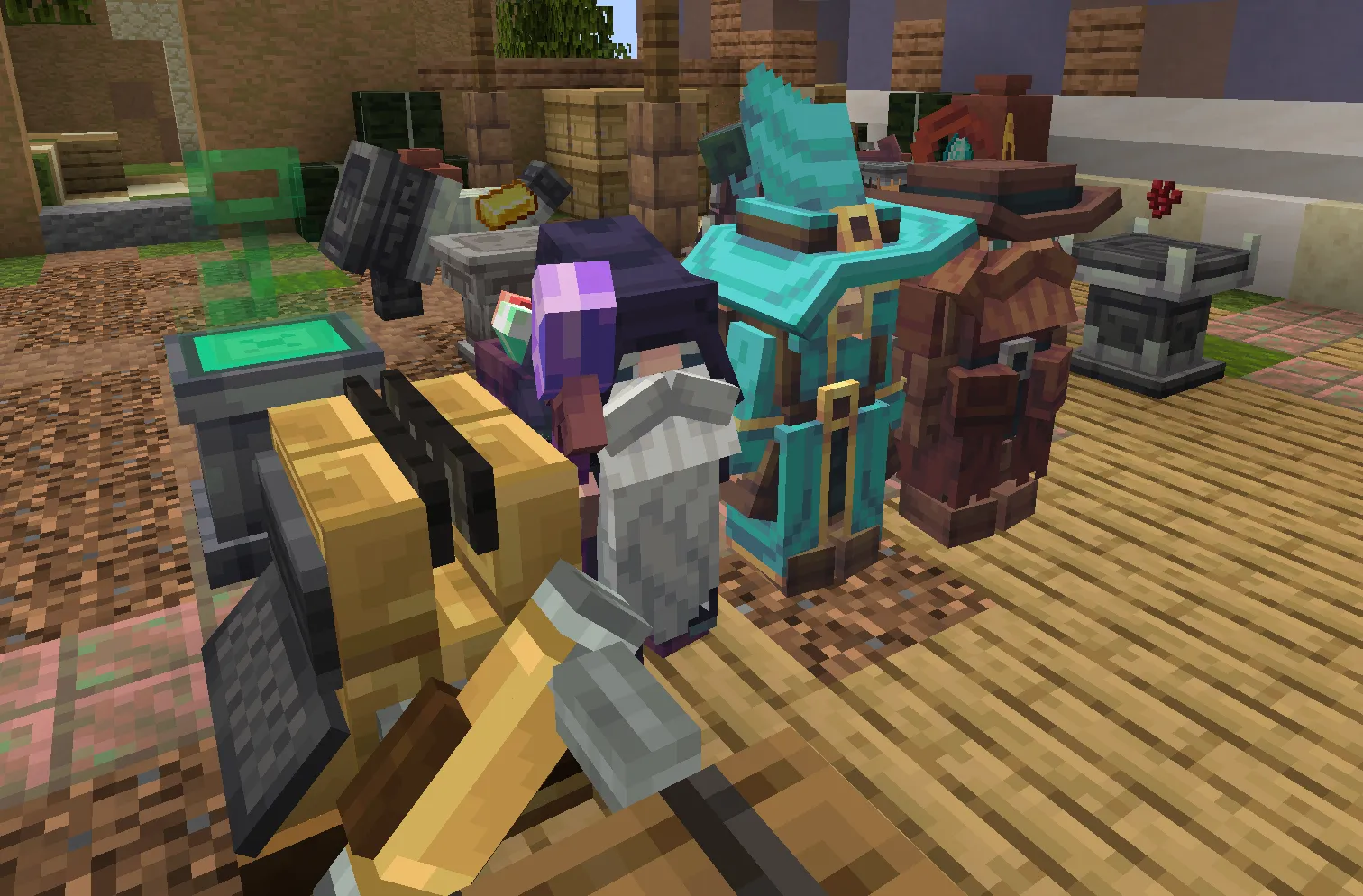
You can process purchases through two methods:
- The register interface displays the customer, their basket (up to five items), and the total cost.
- Alternatively, right-clicking the mechanical handle on the side of the register rings up the purchase directly in first person.
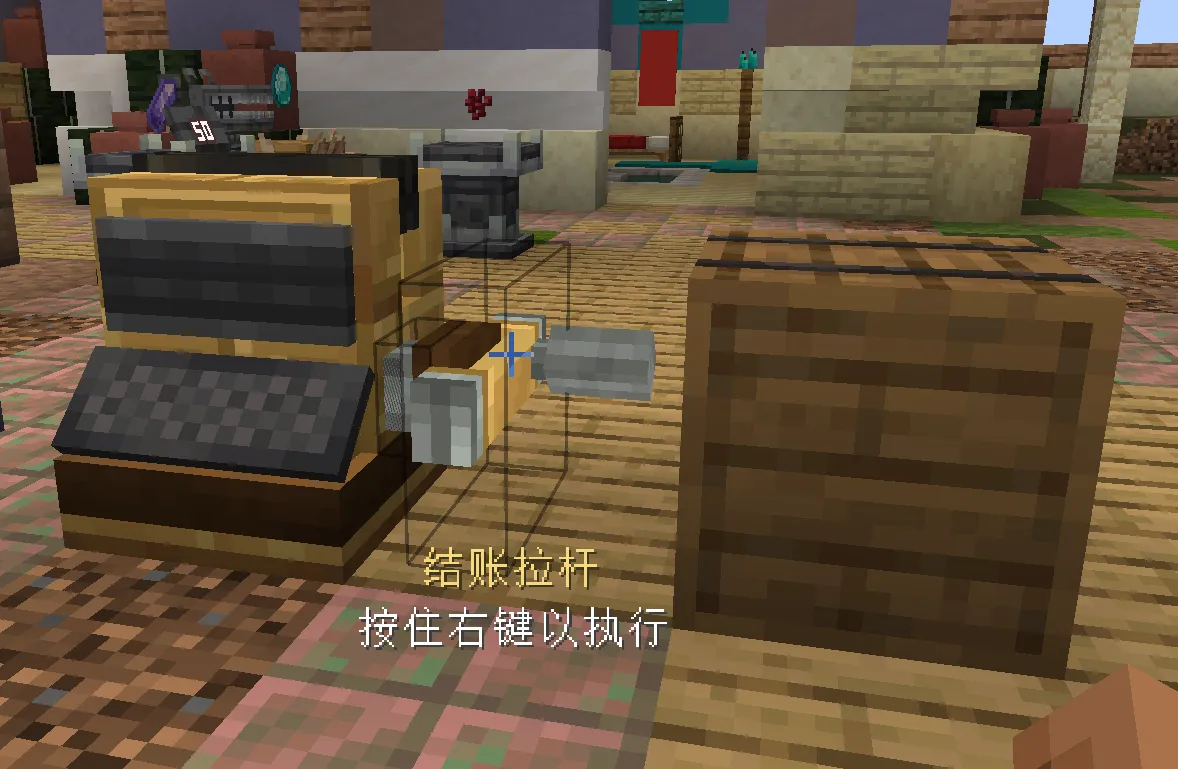
Revenue collects as Value Fluid in a container mounted on the desk. You can combine containers in a crafting grid to increase capacity fourfold, or pipe the fluid into storage. Satisfied customers also leave tips. Fluid tips deposit directly into the desk container, while rare items (such as gems or brewing ingredients) drop into chests labeled with Tip Labels.
Multiplayer cooperation
EurekaBusiness works well on multiplayer servers, where players can split store responsibilities:
- Explorers gather materials and goods from caves, farms, and dungeons.
- Builders expand the storefront, arrange displays, and furnish the interior.
- Storekeepers manage pricing, track stock levels, and work the register during peak hours.
Store permissions rely on ownership lists, so shop owners can add teammates to restock pedestals and operate registers together.
Planned updates
Upcoming snapshot releases focus on three main areas:
- Backroom storage boxes that automatically restock display pedestals when stock drops below a set threshold.
- NPC clerks assigned to tasks like running the register or transporting crates via a job board.
- EurekaBusinessRestaurant, an addon introducing dining tables, waitstaff, order tickets, and kitchen stations.
Getting the snapshot
If you run a NeoForge 1.21.1 server or client, you can download the snapshot build from our GitHub releases. We welcome feedback on customer pacing, pricing balance, and shop layouts.
- Releases and source: EurekaBusinessCommunity Repository
- Documentation: EurekaBusiness Community Docs
- Technical architecture: EurekaBusiness Project Post
Looking For More?
Check out some of our other blogs if you haven't already!