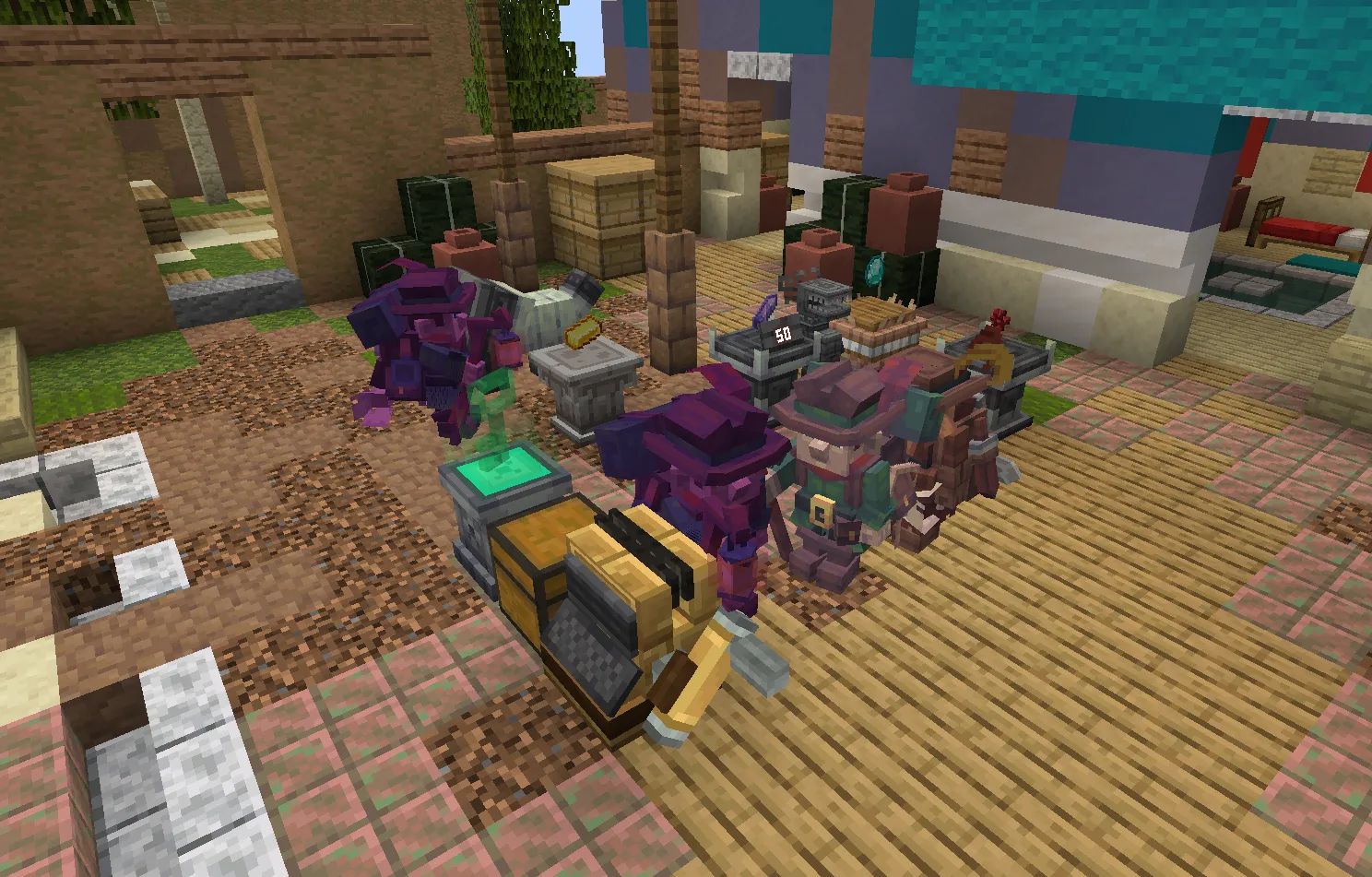
EurekaBusiness is a multiplayer commercial simulation mod built for Minecraft 1.21.1 on NeoForge 21.1.x. The project translates physical world building, item gathering, and economic decision-making into an in-world retail loop. Instead of hiding transactions behind abstract inventory menus or standalone GUI screens, EurekaBusiness models shops through physical block entities, visible display pedestals, directional key devices, and autonomous customer NPCs that physically navigate through store aisles, inspect merchandise, queue at cash registers, and react to pricing.
The project enforces strict separation between foundational enterprise contracts and specific domain gameplay. The system separates the base layer (EurekaBusinessCore) from domain implementations such as EurekaBusinessRetail and EurekaBusinessRestaurant. All state validation, currency transfers, and inventory transactions operate under strict server-authoritative invariants to prevent duplication bugs and desynchronization across multiplayer sessions.
Core design principles
Building a multiplayer economy mod inside Minecraft presents concrete constraints: uncontrolled tick listeners degrade server tick rates, naive entity pathfinding bottlenecks CPU cores, and loose network protocols invite item duplication. EurekaBusiness adheres to four design rules:
- Server authority: The server is the single source of truth for shop boundaries, permissions, stock counts, pricing, and ledgers. Clients send player interaction intents, and incoming packets trigger server-side distance, reachability, permission, and concurrency (CAS revision) checks.
- Controller-less spatial indexing: Stores have no physical core block or centralized controller block entity. A store is defined by an axis-aligned bounding box (AABB) in world space, avoiding single-point-of-failure issues if a core block breaks.
- Event-driven state updates: Stores and pedestals avoid per-tick polling. State updates, boundary revalidations, and queue transitions run on event triggers (block placement, destruction, inventory commits, or timer callbacks).
- Pathfinding node interception: Fixtures (pedestals, key devices, cash registers) override
isPathfindable(state, type)to returnfalseand setgetBlockPathTypetoPathType.BLOCKED. Combined with custom collision voxel shapes, this keeps mob pathfinding nodes from routing through display counters.
flowchart TD
    subgraph Client["Client (Presentation Layer)"]
        UI["In-World Value Box\n(Hit Zone + Face Highlight + Hover Tip)"]
        OUT["ShopOutlinerBridge\n(Ponder / Catnip Outliner)"]
        HOLO["HologramModelPresenter\n(Raw BakedQuad Bulk Put)"]
        BER["BER Price Tag Renderer\n(22.5 deg Tilted Plate)"]
    end

    subgraph Network["C2S / S2C Network Boundary"]
        PKT["Validated Network Packets\n(Distance, Permission, CAS Revision)"]
    end

    subgraph Server["Server Authority (Logic & State)"]
        SBI["ShopBoundaryIndex\n(Chunk-Allocated Spatial Candidates)"]
        BSS["BusinessStateStore\n(CAS Revisions & World SavedData)"]
        CUST["Customer Behavior Runtime\n(State Tree & Pathfinding Budget)"]
        SETTLE["Atomic Settlement Pipeline\n(All-or-Nothing Transaction)"]
    end

    UI --> PKT
    PKT --> Server
    Server --> OUT
    Server --> HOLO
    Server --> BER
System architecture
EurekaBusiness follows a decoupled multi-project Gradle layout targeting NeoForge. The codebase enforces a unidirectional dependency hierarchy: Core <- Retail and Core <- Restaurant. Retail and Restaurant share zero compile or runtime dependencies.
EurekaBusiness/
├── Core/
│   ├── Common/         # Loader-neutral business ID, codecs, state stores, spatial math
│   └── NeoForge/       # World SavedData, platform lifecycle, presentation bridges
├── Retail/
│   ├── Common/         # Pedestal rules, catalog structures, customer AI models
│   └── NeoForge/       # Pedestal blocks, GUI screens, customer entities, cashier registers
└── Restaurant/ # Dining tables, kitchen tickets, menu contracts (Independent module)Spatial partitioning and boundary indexing
Shops occupy continuous regions defined by ShopBounds. Core models these as immutable axis-aligned bounding boxes within a specific dimension. The engine rejects nested or intersecting shop regions on creation.
To avoid scanning entire worlds when an interaction occurs, ShopBoundaryIndex partitions shop bounds across Minecraft chunk coordinates:
public final class ShopBoundaryIndex {
    private final Map<ResourceKey<Level>, Long2ObjectMap<List<ShopBounds>>> chunkCandidates = new ConcurrentHashMap<>();

    public List<ShopBounds> getCandidateBounds(Level level, BlockPos pos) {
        long chunkKey = ChunkPos.asLong(pos.getX() >> 4, pos.getZ() >> 4);
        Long2ObjectMap<List<ShopBounds>> levelMap = chunkCandidates.get(level.dimension());
        if (levelMap == null) return List.of();
        List<ShopBounds> list = levelMap.get(chunkKey);
        return list != null ? list : List.of();
    }
}
When a player interacts with a pedestal or cashier desk, ShopPositionResolver fetches the candidate boundaries intersecting the target chunk and evaluates containment (bounds.contains(pos)). If no candidate matches, the block operates in an independent unmanaged state. If exactly one candidate matches, the block adopts that shop context.
Entrance and exit sub-zones
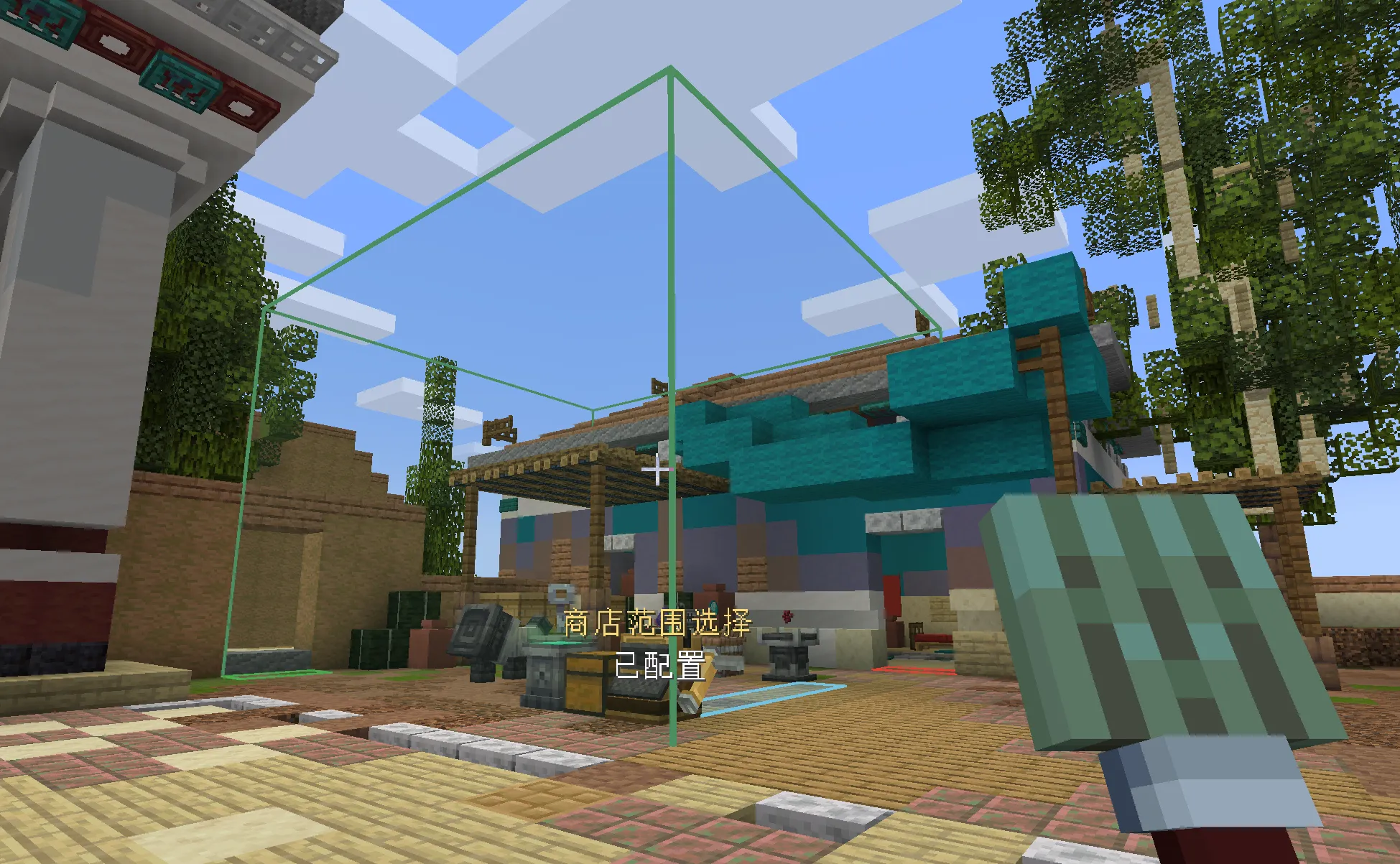
Stores configure discrete entrance and exit sub-zones stored inside ShopSpaceStateExtension (Schema 2). Both entrances and exits are normalized as height-1 AABBs restricted entirely within the outer ShopBounds.
- Entrance zones: Up to 16 discrete entrance areas per shop. When scheduling a customer wave, the server distributes spawn counts across available entrances based on horizontal surface area.
- Exit zones: Up to 16 discrete exit areas. Departing customers query configured exits and pick one by balancing walking distance against real-time congestion.
Key device and shop key pairing
Store operating states (CLOSED and OPEN) are toggled through the physical key_device block entity with a bound shop_key item.
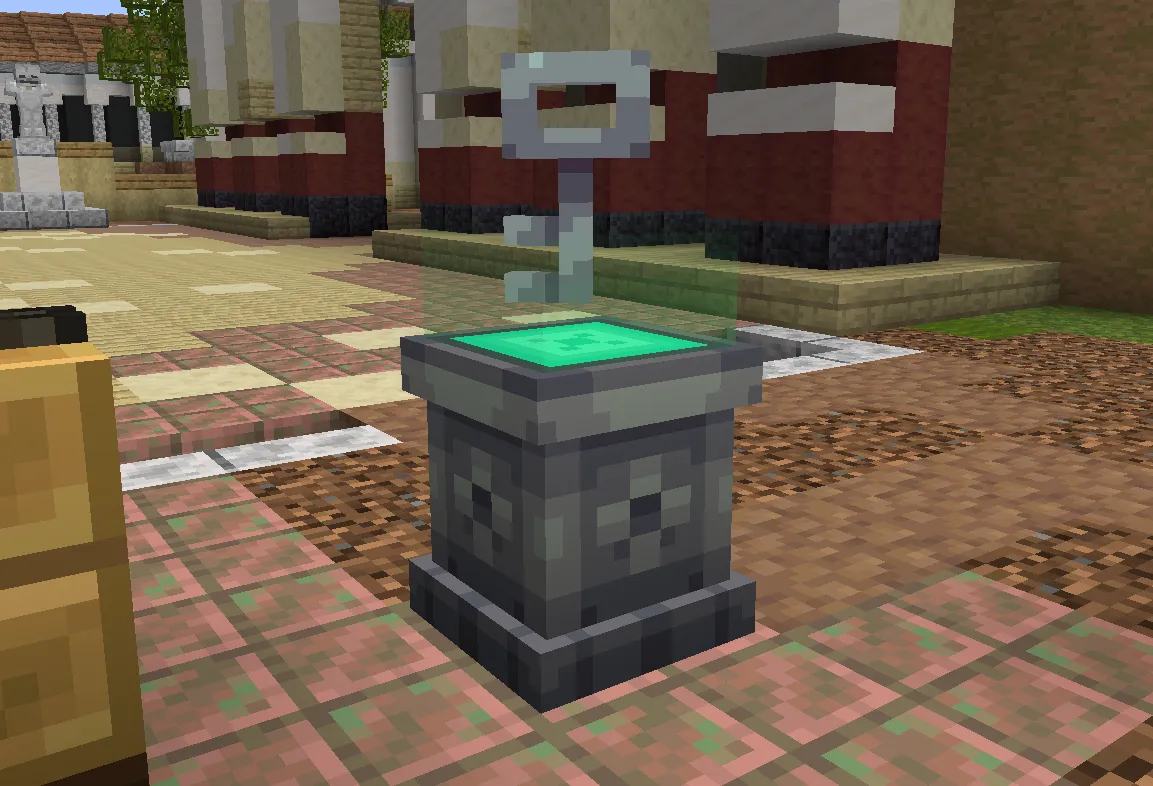
The pairing mechanism functions entirely in-world:
- Binding: Sneak right-clicking an unbound shop key onto a key device claims the shop identity, stamping the item with an immutable
ShopKeyBindingcomponent containing store UUID, owner UUID, and block coordinates. - Key device state machine: The block uses two blockstate properties:
has_keyandactive. Inserting a key setshas_key=true, activating the outer column model. When the owner sneak-clicks the device, the server runsShopOpeningCheck. If all preconditions pass (valid bounds, configured queue zone, valid cashier desk with value container),active=trueactivates the inner column and marks the shop open. - Hologram rendering: The rotating key model above the pedestal is drawn via
HologramModelPresenter. When active, it tints into a translucent green projection.
Retail gameplay architecture
Display pedestals and augment plugins
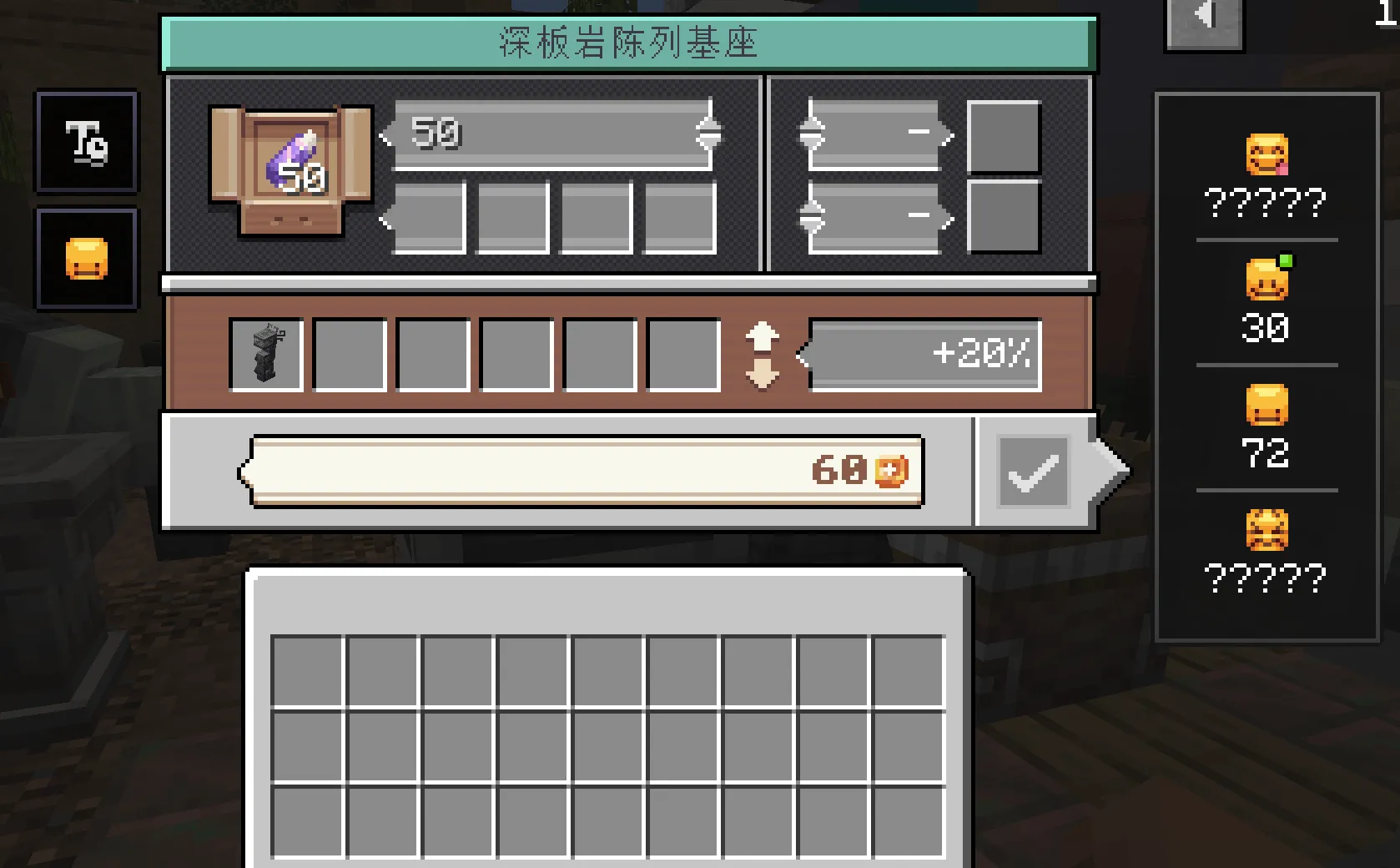
Display pedestals serve as the physical merchandising surface. Each pedestal holds a single item variant and accepts a stock count bounded by that item’s native maximum stack size (1 to 64).
Pedestals feature eight internal augment slots (2 x 4 layout) governed by PedestalPluginRegistry. Unlike a generic industrial inventory pipe bus, plugins are statically declared per pedestal type during initialization and frozen before server start:
| Pedestal Variant | Price Tag X Offset | Price Tag Y Offset | Price Tag Z Offset |
|---|---|---|---|
| Nomad Pedestal | 0.5 | 0.0 | 0.125 |
| Deepslate Pedestal | 0.5 | 1.005 | 0.125 |
| Stone Pedestal | 0.5 | 1.010 | 0.125 |
classDiagram
    class PedestalBlockEntity {
        -ItemStack displayItem
        -int stockCount
        -int listPrice
        -PluginSlotContainer augments
        +setItem(ItemStack)
        +setListPrice(int)
        +installPlugin(int slot, ItemStack)
    }

    class PedestalPlugin {
        <<interface>>
        +onInstalled(context)
        +onRemoved(context)
        +onLoaded(context)
        +validatesState()
    }

    class PriceTagPlugin {
        +onInstalled(context)
        +renderWorldPlate(poseStack, buffer)
    }

    PedestalBlockEntity --> PedestalPlugin : dispatches lifecycle
    PedestalPlugin <|.. PriceTagPlugin : implements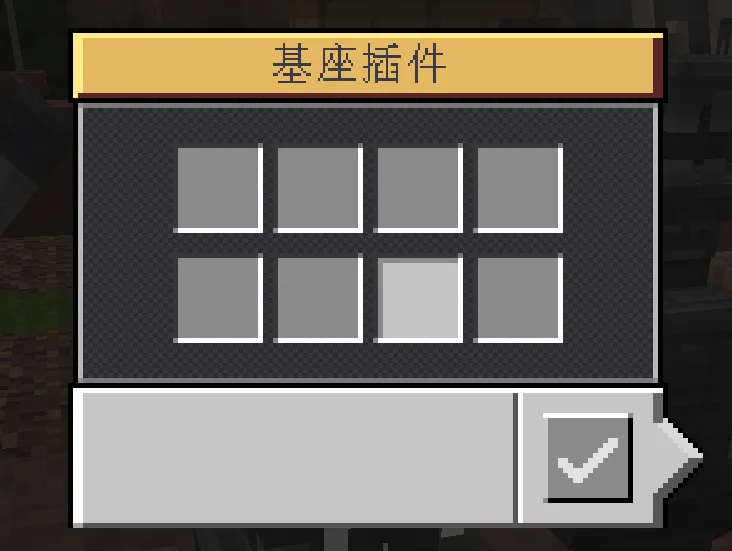
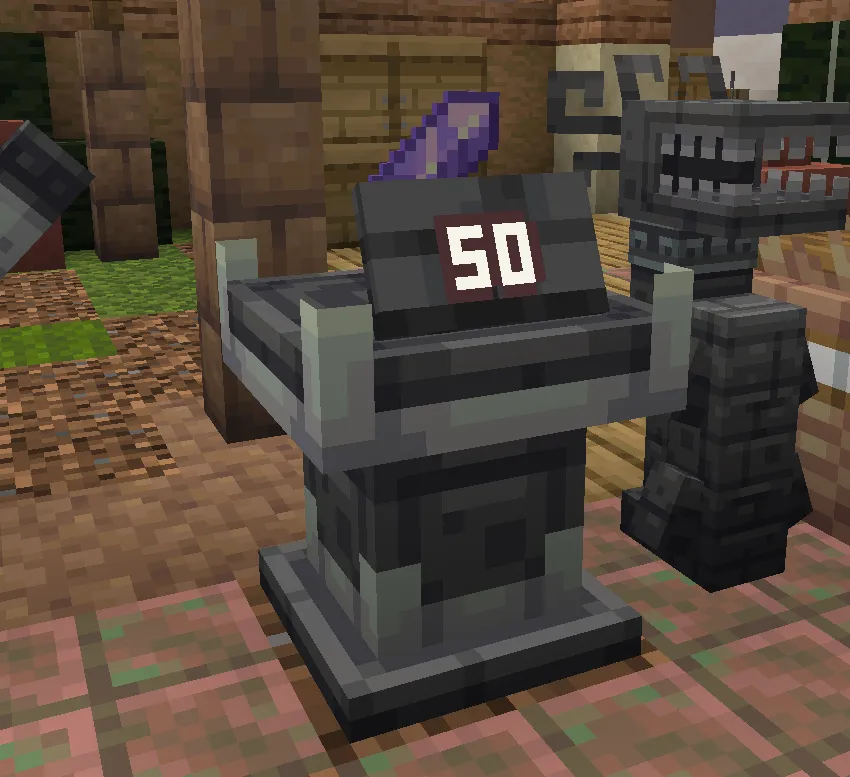
When a PriceTagPlugin item is placed into any augment slot, a polished deepslate price plate renders above the pedestal. The tag renders with a fixed 22.5 degree backwards tilt aligned to the pedestal facing direction. The numerical price is formatted into a maximum 4-character compact string (K, M, B) and centered along the plate width with an explicit normal offset to eliminate Z-fighting.
Item taxonomy and customer generation
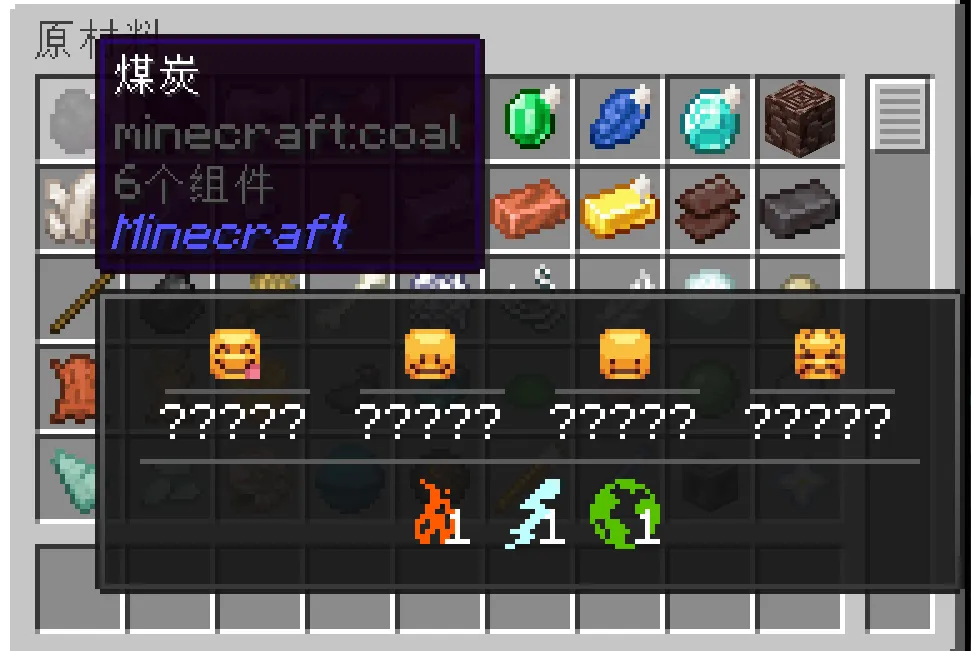
Items in EurekaBusiness map to a taxonomy of 37 elemental categories (such as earth, tool, metal, magic, greed, and flora) defined in Core.
flowchart LR
    INV["Pedestal Displays\n(Stone, Iron Sword, Golden Apple)"] --> ELEM["Element Extraction\n(Earth, Metal, Tool, Magic)"]
    ELEM --> WEIGHT["ElementRarityAlgorithm\n(Compute Variant Spawn Weights)"]
    WEIGHT --> SPAWN["Spawn Customer NPC\n(Miner, Warrior, Alchemist, Mage)"]
The system uses these elements to compute customer spawning probabilities through ElementRarityAlgorithm:
- Inventory sampling: When evaluating spawn weights, the server tallies all active elemental tags across stocked pedestals.
- Variant affinities: Customer archetypes define positive or negative affinities for specific elements. A shop stocking raw ores and pickaxes attracts Miner NPCs, while potions and enchanted tomes attract Alchemists and Mages.
- Continuous purchase sampling: After a customer selects an item,
CustomerContinuePurchaseAlgorithmdecides whether the NPC browses for additional goods. The calculation factors in base patience, current basket size (up to 5 items), and the elemental relevance of remaining merchandise.
Customer decision flow and reaction bubbles
When browsing, customer NPCs evaluate merchandise prices against a server-synchronized Value Catalog. The evaluation assigns prices into one of four reaction brackets:
List Price <= Cheap Ceiling       -> CHEAP (Fast purchase, low margin)
Cheap < Price <= Perfect Ceiling   -> PERFECT (Optimal margin, high customer satisfaction)
Perfect < Price <= Expensive Max   -> EXPENSIVE (Reluctant purchase, reduces continuous shopping odds)
Price > Astronomical Threshold    -> ASTRONOMICAL (Rejects item immediately, aborts shopping session)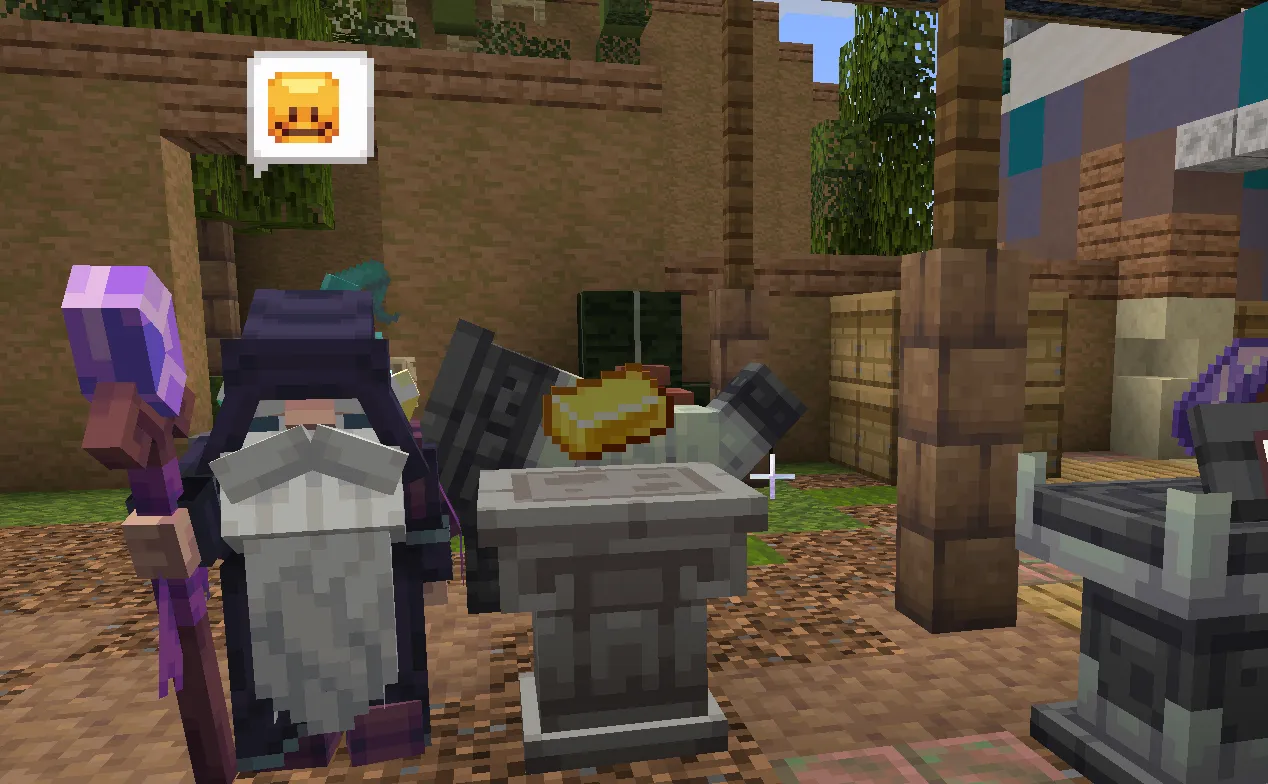
Upon evaluation, a billboarded ReactionBubble renders above the customer head, providing visual feedback directly in the world.
Queue zones and atomic checkout
Once customers complete browsing, they move to the store’s Queue Zone and wait for cashier processing.
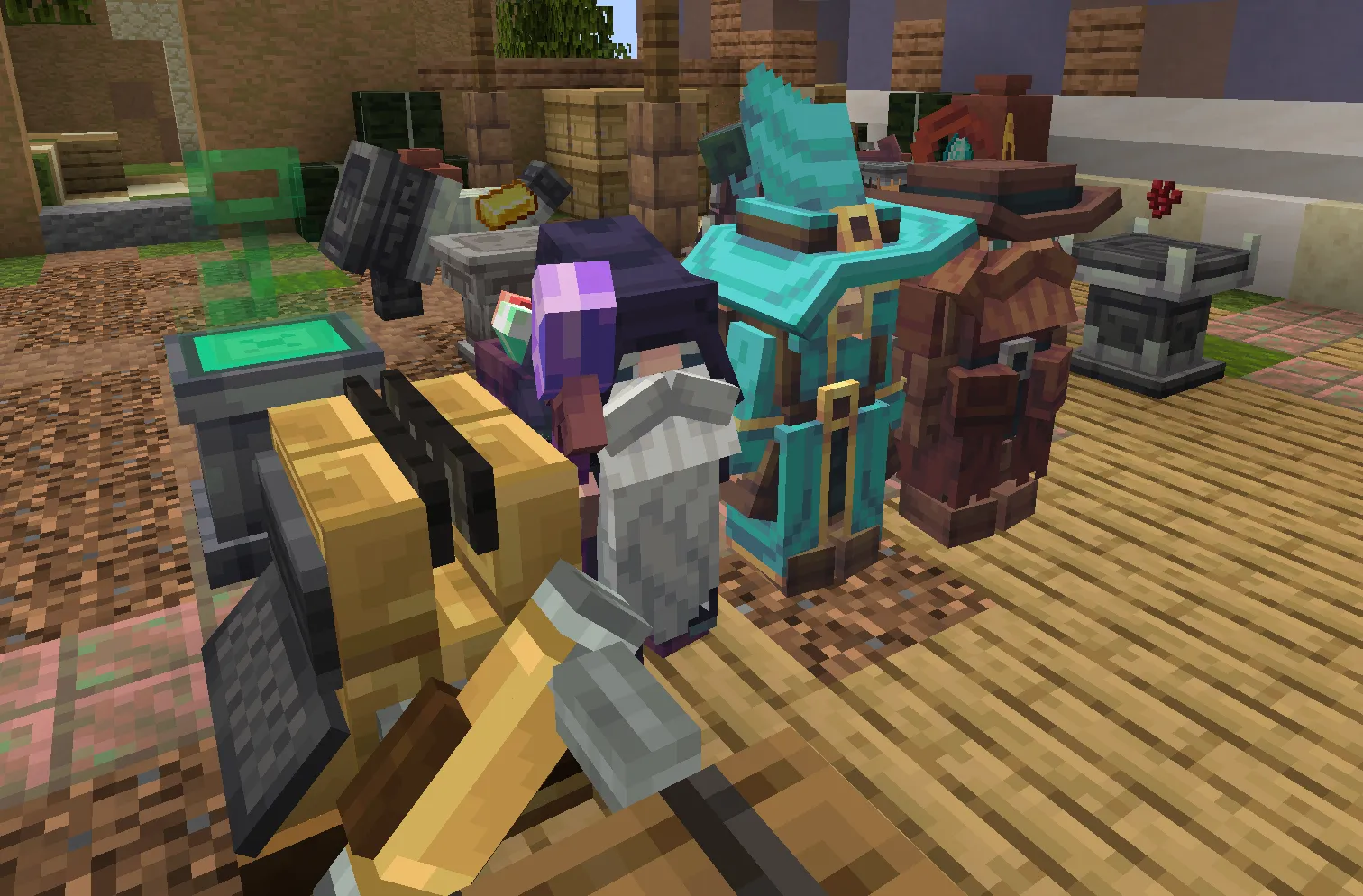
Cashier processing supports two interaction modes:
- Cashier desk UI: Opening the cash register displays a portrait preview of the customer at the head of the line, their 5-item basket, and the attached value container slot.
- Physical pull handle: Right-clicking the mechanical handle mounted to the right side of the register commits checkout in first person without opening a screen.
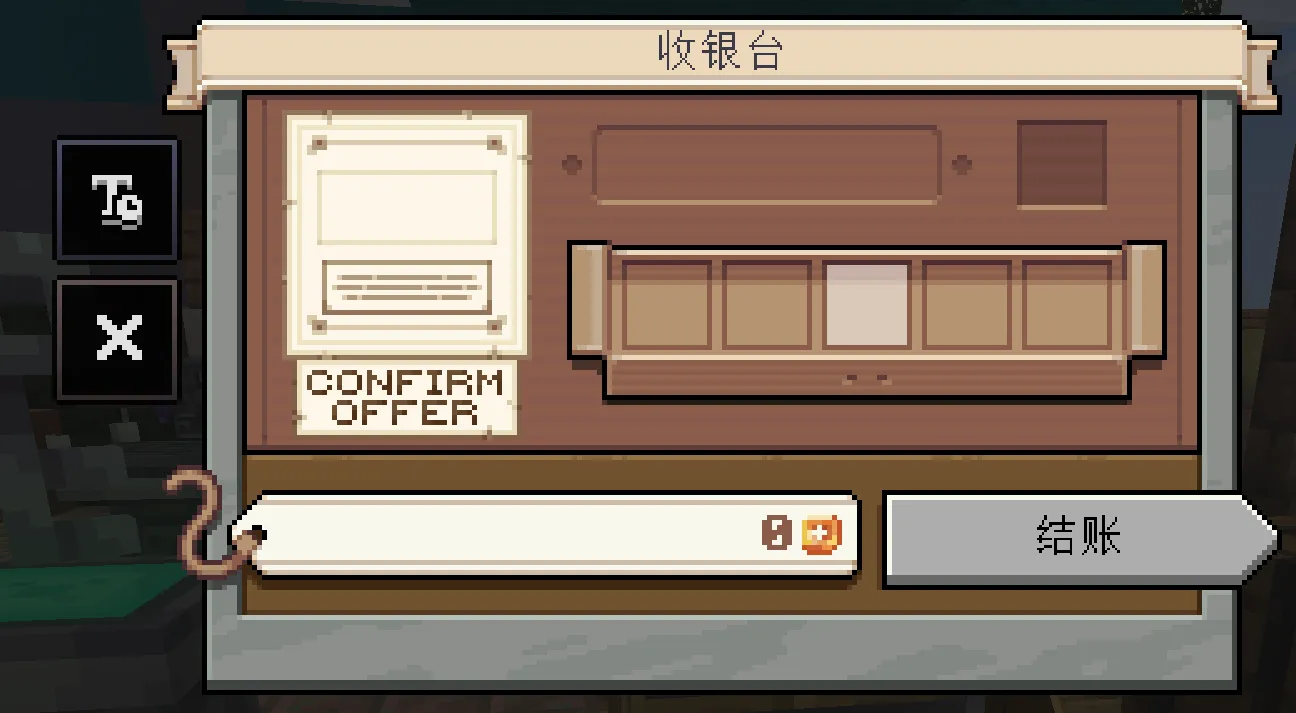
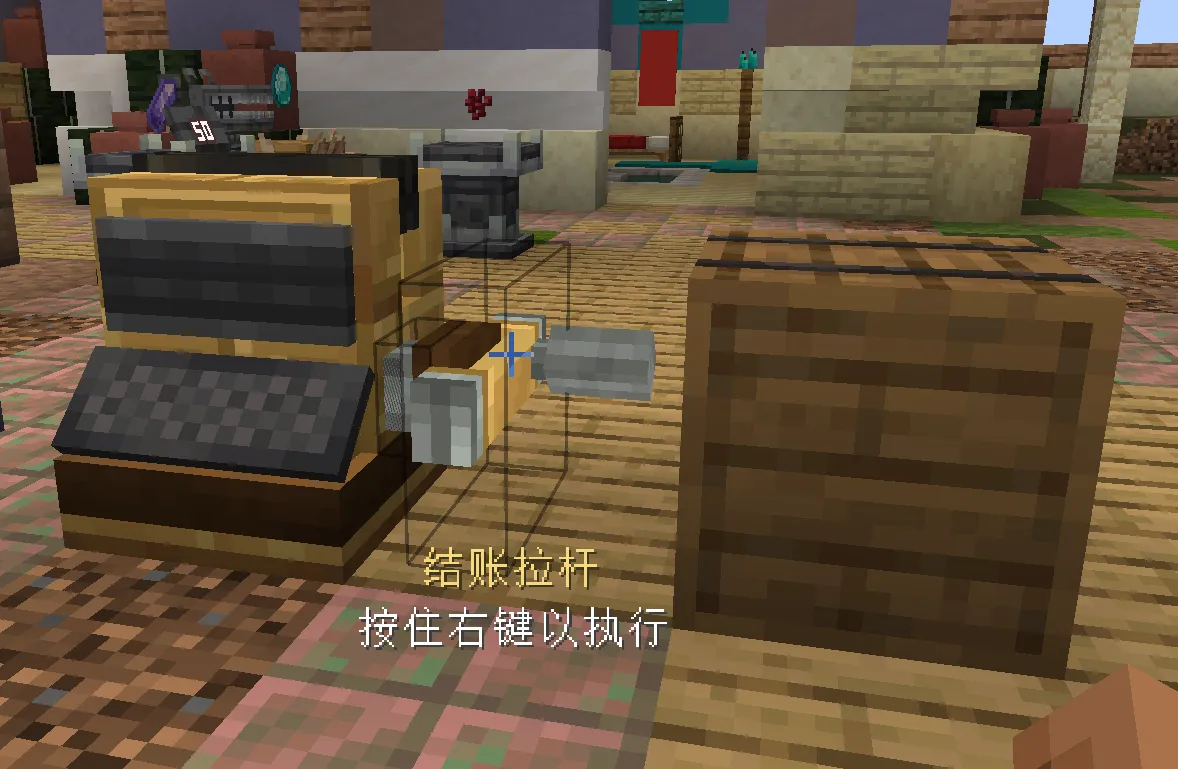
The checkout transaction executes as an atomic operation:
sequenceDiagram
    autonumber
    participant Player as Cashier (Player / Handle)
    participant Server as Cashier Checkout Service
    participant Pedestal as Pedestal BlockEntities
    participant Container as Value Container
    participant Obligation as Tip Obligation Journal

    Player->>Server: Pull Handle / Click Checkout
    Server->>Server: Verify Queue Head & Customer Basket
    Server->>Pedestal: Check Stock Availability (All 1..5 Items)
    alt Stock Missing or Price Mutated
        Server-->>Player: Transaction Rejected (No State Changed)
    else Stock Valid
        Server->>Pedestal: Deduct Stock Counts (Atomic Loop)
        Server->>Container: Inject Value Fluid (Direct Settlement)
        Server->>Obligation: Record Tip Obligations (State: PREPARED)
        Server-->>Player: Play Audio & Eject Customer to Exit
    end
If any item in the basket is missing, reserved by another customer, or has its price changed before checkout, the transaction aborts with zero state change.
Tip obligations and persistence
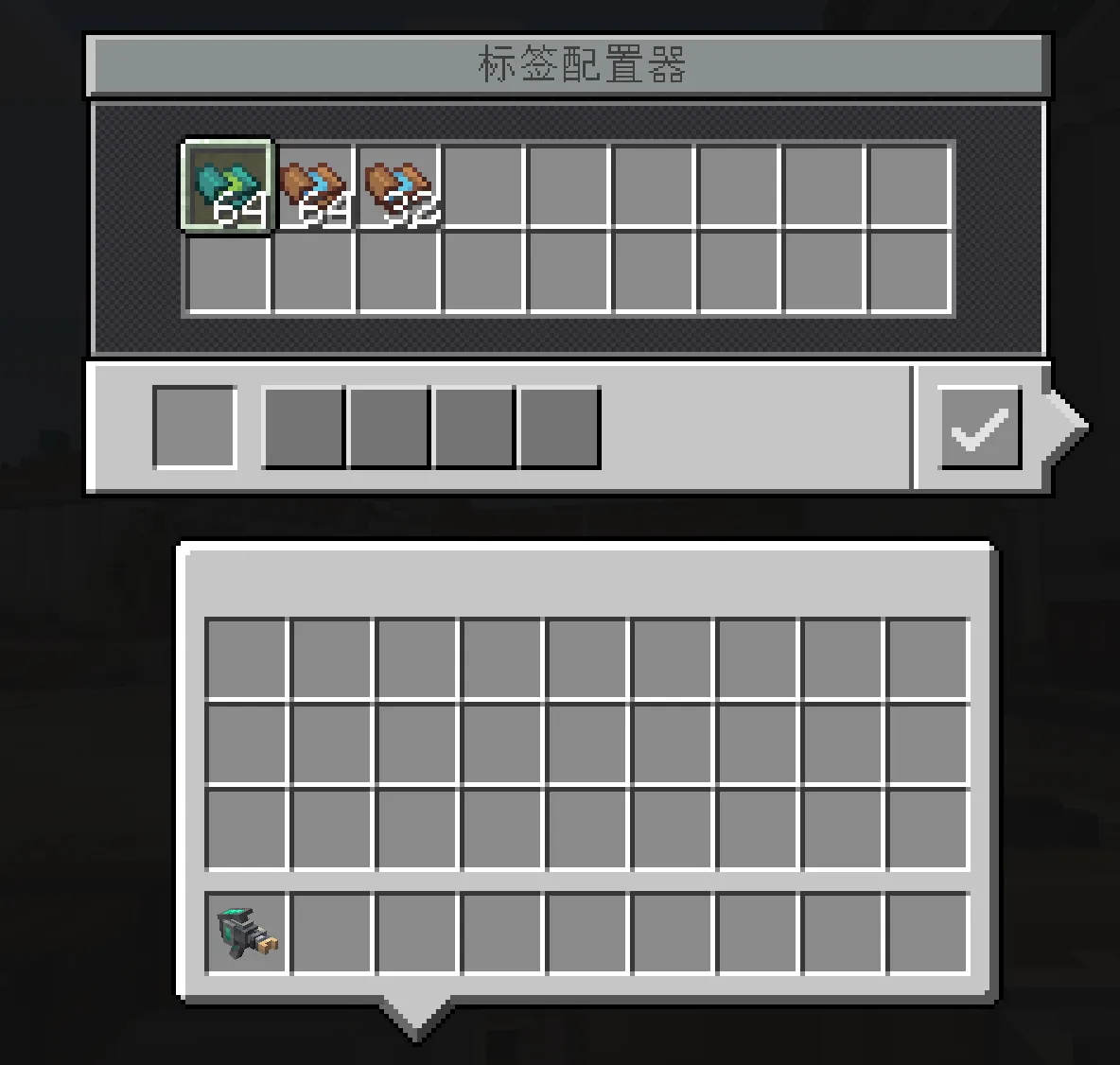
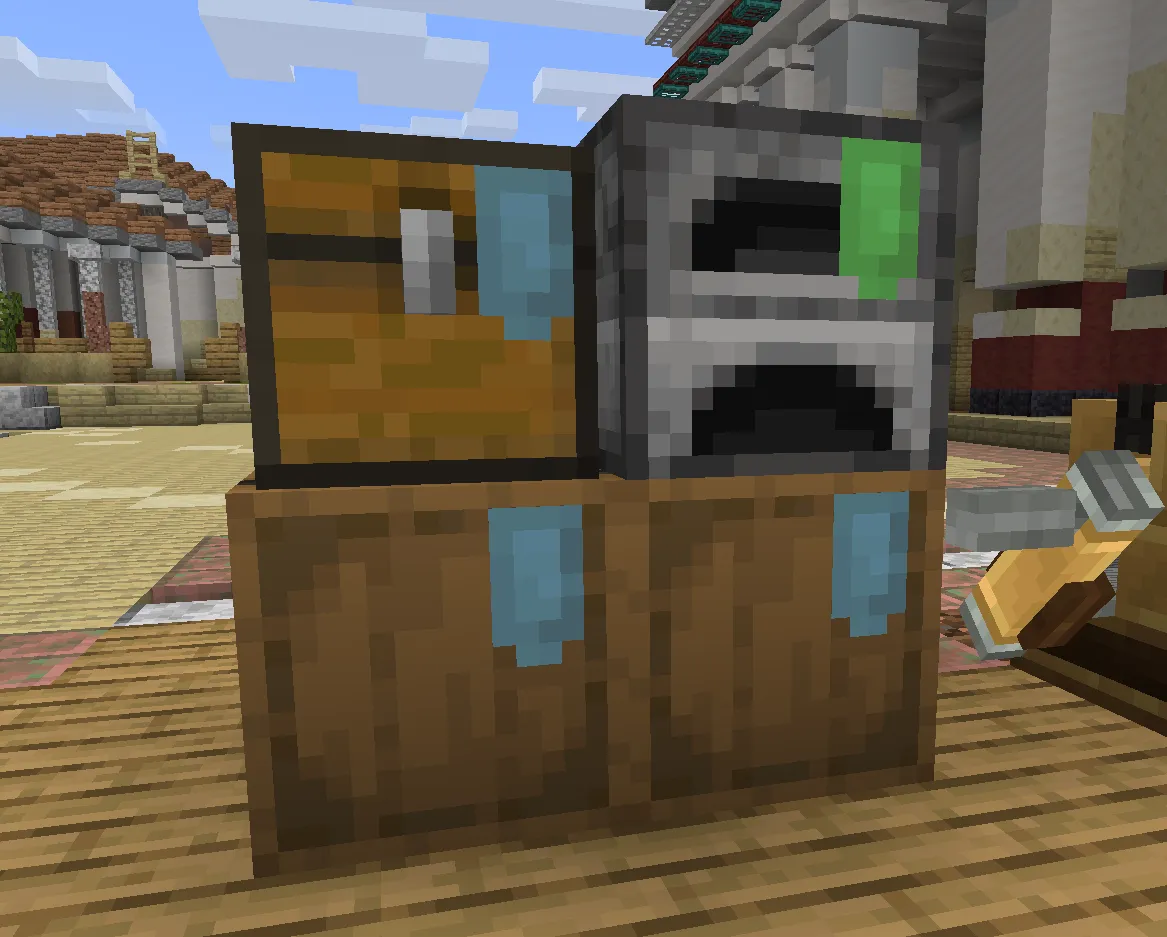
Customer variants can award tips upon checkout. Fluid tips deposit directly into the attached value container, while rare items (such as enchanted books from Mages or diamonds from Miners) create a persistent TipObligation:
[PREPARED] -> [FUNDED] -> [DELIVERED]
                         \-> [BLOCKED]
When an item tip is awarded, the server writes a persistent record containing the shop ID, customer variant, and generated item stack into world SavedData. The store routes the item into an in-world container marked with a TipLabel. If the labeled container is missing or full, the obligation transitions to BLOCKED rather than deleting the item. Upon world reload or container vacancy, the server attempts redelivery idempotently.
Client presentation and rendering pipeline
To maintain visual parity with modern technical mods like Create, EurekaBusiness includes an in-world presentation framework in Core/NeoForge/client/presentation.
BlockHighlightPresenter
Instead of drawing simple bounding boxes over coordinates, BlockHighlightPresenter extracts physics geometry from the target block VoxelShape:
- Decomposes
VoxelShape.toAabbs()into exact component prisms. - Renders dual-color pulsing outlines (such as emerald green for valid key devices and amber for configuration warnings).
- Features a short time-to-live (TTL) frame cache. Outlines refresh per frame; when the player looks away or unequips the tool, the outline fades out naturally.
HologramModelPresenter
Rendering translucent items and blocks in Minecraft often conflicts with custom vertex pipelines. Wrapping a VertexConsumer to override alpha values can break Sodium fast-path vertex pipelines (does not support optimized vertex writing code paths), while writing custom GLSL core shaders risks compatibility failures with Iris and OptiFine shader packs.
HologramModelPresenter avoids these conflicts by operating directly on baked model geometry:
public static void renderHologram(
    PoseStack poseStack,
    MultiBufferSource bufferSource,
    BakedModel bakedModel,
    int tintColor,
    float alpha,
    int packedLight
) {
    VertexConsumer consumer = bufferSource.getBuffer(Sheets.translucentCullBlockSheet());
    RandomSource random = RandomSource.create();
    for (Direction direction : Direction.values()) {
        random.setSeed(42L);
        List<BakedQuad> quads = bakedModel.getQuads(null, direction, random);
        for (BakedQuad quad : quads) {
            putQuadBulkData(consumer, poseStack.last(), quad, tintColor, alpha, packedLight);
        }
    }
}
By extracting raw quad vertex arrays and writing them directly via putBulkData, the presenter preserves native memory alignment, maintains compatibility with Sodium, and renders translucent holograms without shader conflicts.
Performance optimizations
Maintaining 20 TPS on multiplayer servers requires resource limits on NPC navigation and updates:
| Subsystem | Strategy | Verification |
|---|---|---|
| Shop boundaries | Candidate chunk map lookup; zero coordinate scanning | Benchmark tests with 250+ concurrent shop bounds |
| Pathfinding | Failure budget (3 failed paths triggers ABORTING fade-out) | Stress test with obstructed shop entrances |
| Customer AI | Tick throttling with active distance culling | Profiling with Spark on 32-player test server |
| Settlement | CAS revision checks on store state store | GameTest suite (15/15 concurrent transaction tests passing) |
| Renderers | Dynamic quad vertex buffer injection; zero core shader override | Tested under Sodium and Iris shader environments |