Eurekiel: Math Playground is an interactive testbed for game math and computational geometry built on the custom Eurekiel C++ engine. The project implements and visually verifies 2D parametric curves, a fixed-timestep 2D physics simulation, 3D raycast tests against geometric primitives, and a convex polygon editor with spatial acceleration structures. Each mode runs as an isolated test scene with runtime parameter controls and ImGui debug panels.
Module architecture
graph TD
    subgraph App["App (Game Mode Manager)"]
        GM[EGameMode Selector]
    end

    subgraph Modules["8 Visual Test Modules"]
        C2D[Game2DCurves]
        PM[Game2DPachinkoMachine]
        NP[GameNearestPoint]
        RD[GameRaycastVsDiscs]
        RLS[GameRaycastVsLineSegments]
        RA[GameRaycastVsAABBs]
        R3D[GameRaycastVsShapes3D]
        RP[GameRaycastVsPlane3D]
    end

    subgraph Common["Shared Components"]
        E[Entity Base]
        P[Prop: 3D Shape Container]
        P3D[Test3DShapePlayer]
    end

    subgraph Engine["Custom C++ Engine"]
        Math[Math Library]
        Render[Renderer]
        Input[Input System]
        Debug[Debug Render System]
    end

    GM --> Modules
    Modules --> Common
    Common --> Engine
2D curves: Bezier, Hermite, and easing functions
The 2D curve module supports cubic Bezier curves, cubic Hermite splines, and a range of easing functions (quadratic through sextic, SmoothStep, SmootherStep, and hesitation curves). Curves evaluate in real time with adjustable vertex subdivision counts, and control points can be dragged in the viewport to inspect curvature and tangent changes.
2D Pachinko simulation with fixed timestep physics
The Pachinko machine simulation uses a fixed-timestep physics loop running at 5ms (200 Hz). The system accumulates delta time and evaluates steps in uniform increments, keeping collision resolution consistent regardless of rendering frame rates.
Ball collisions resolve elastically by decomposing velocity vectors into normal and tangential components. Bumpers support discs, capsules, and oriented bounding boxes (OBB2), with wall bounces scaled by coefficient of restitution values. Proximity tests compare squared distances to bypass square root operations in the collision phase.
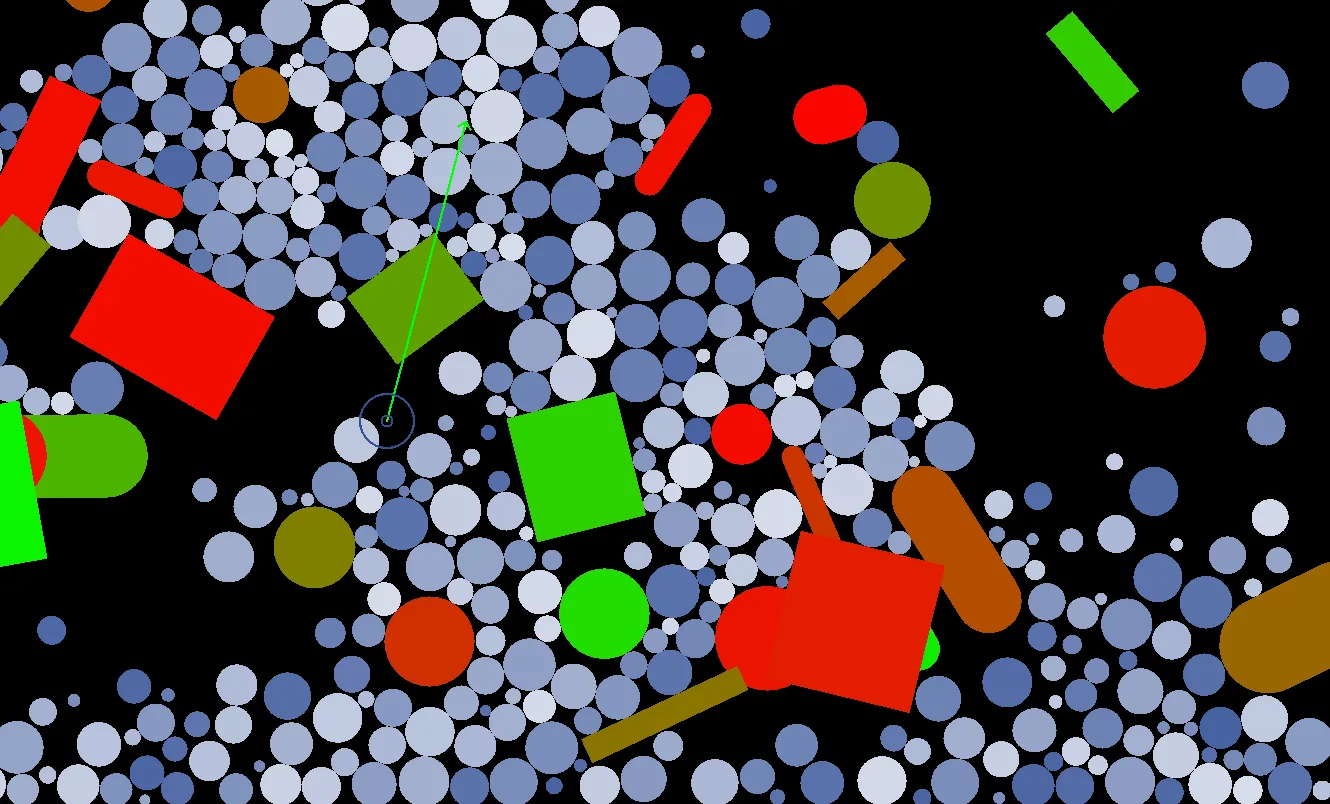
3D shape raycasting
The 3D raycast suite tests rays against five primitive types: Sphere, AABB3, OBB3, ZCylinder, and Plane3. Each shape is wrapped in a Prop entity holding collision dimensions and vertex buffers. Raycasts cast from the first-person camera return a RaycastResult3D containing hit coordinates, surface normals, and distance values, drawing impact markers and normal arrows.
Raycast optimization and nearest point queries
Ray queries track the nearest hit distance to reject distant shapes early. A ray-lock toggle freezes the query ray in place so the camera can orbit and inspect hit points and surface normals from multiple perspectives.
A companion nearest-point module computes closest points on 2D primitives (discs, line segments, capsules, AABBs, OBBs, triangles) from a mouse cursor query point.
Convex polygon scene editor
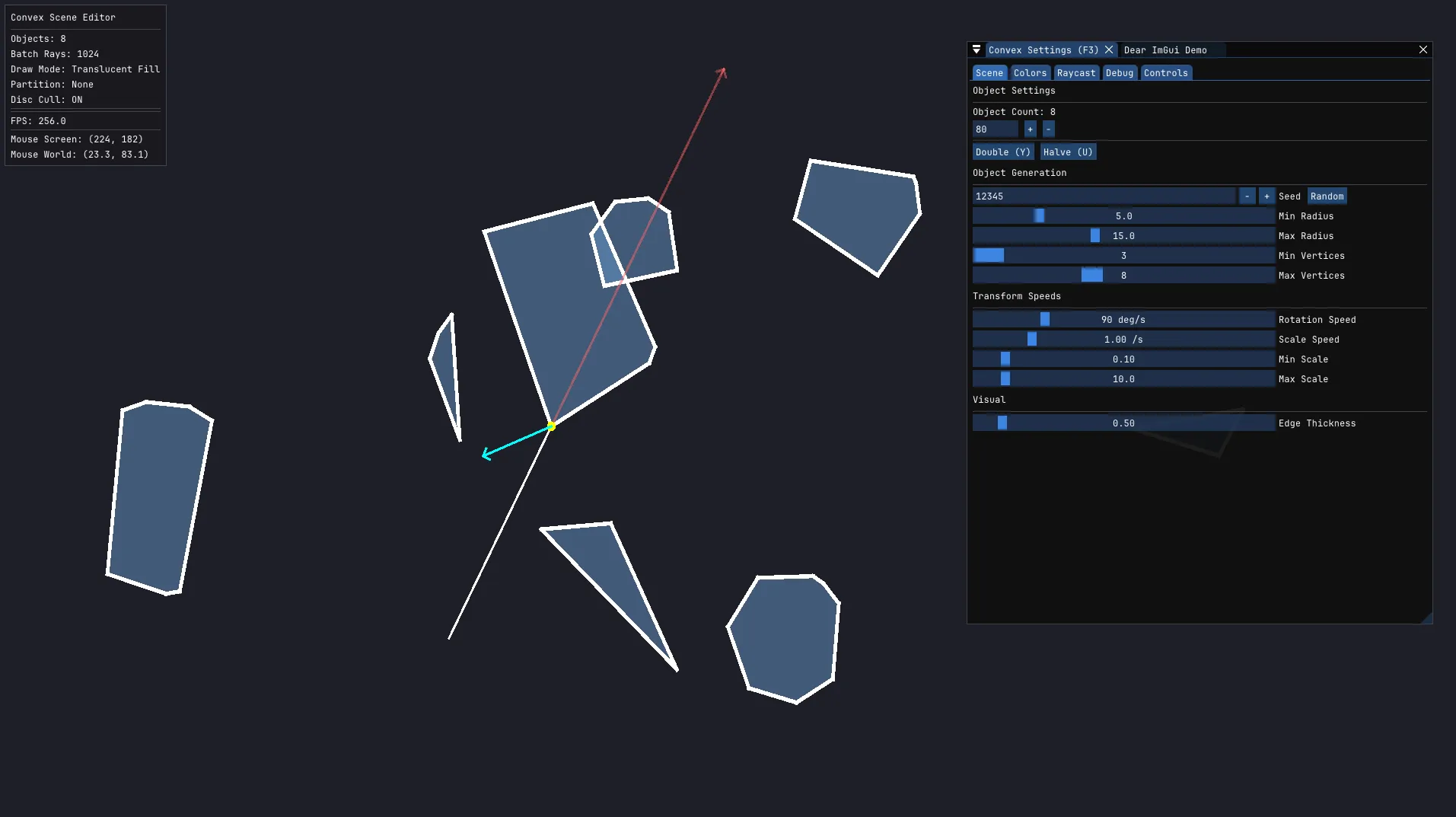
The 2D convex polygon editor supports generating, transforming, and raycasting against multiple convex polygons. Polygons are generated in polar coordinate space (vertex angles relative to a center origin plus base radii), enforcing convexity by construction. The scene supports translucent rendering (where overlapping areas form compound silhouettes) and opaque layered fills.
Polygons can be dragged, scaled, and rotated interactively around the cursor. Pressing T triggers a batch raycast benchmark (default 1024 rays) with execution timing reported in milliseconds.
Single-object debug mode
When focused on a single polygon, the editor renders face planes as extended lines colored by normal direction. The raycast visualization shows entry and exit intersections, interior penetration segments, and hit normal vectors to verify plane-line intersection math.
Spatial partitioning and bit-region optimization
For scenes with hundreds of polygons, the editor supports three spatial query strategies implementing ISpatialPartition: brute-force testing, bit-region grids, and a bounding volume hierarchy (BVH).
The bit-region approach divides the world into an M x N grid (up to 32 cells mapped into a uint32_t). Each polygon’s bounding disc maps to a bitmask of occupied cells. During a raycast, a FastVoxel algorithm traverses the ray through the grid, generating a bitmask of traversed cells. A bitwise AND between the ray mask and polygon masks filters out non-overlapping candidates before running geometric tests.
The BVH implementation splits objects along their longest axis into a binary tree with configurable leaf capacity. Queries traverse only nodes whose bounding boxes intersect the ray. Both strategies precede testing with a bounding disc early rejection step.
flowchart TD
    A[Batch Raycast Request] --> B{Spatial Partition Type}
    B -->|None| C[Test All Polygons]
    B -->|Bit Regions| D[FastVoxel Ray Traversal]
    B -->|BVH| E[Recursive AABB Query]
    D --> F[Bitmask AND Filter]
    F --> G[Candidate Polygons]
    E --> G
    C --> G
    G --> H{Bounding Disc Early Out?}
    H -->|Miss| I[Skip]
    H -->|Hit| J[Convex Hull Raycast]
J --> K[Track Nearest Hit]ImGui debug editor
An ImGui interface provides parameter editing for scene configurations, fill colors, raycast parameters, and debug toggles. A persistent HUD overlay shows object counts, active partition types, batch test timings, hit rates, and frame rates.
Sub-panels allow tuning grid dimensions and step sizes for bit regions, as well as tree depth and leaf limits for the BVH, enabling side-by-side performance comparison.
Design decisions
Modular test scenes
Visual tests run in standalone game modes registered through EGameMode and App::CreateGame(), keeping math testbeds decoupled from each other.
Fixed-timestep physics
The Pachinko simulation accumulates delta time and steps physics at a fixed 5ms tick, ensuring deterministic collision responses across differing hardware refresh rates.
Swappable spatial partition strategies
The ISpatialPartition interface allows toggling between brute force, bit-region grids, and BVH trees at runtime to measure performance differences on the same scene.
Real-time parameter tuning
All geometry counts, grid resolutions, and colors expose ImGui bindings for live inspection without editing source code.
Targeted geometric culling
Raycast pipelines prioritize fast rejections: squared distance checks, bounding disc tests, and bitmask filtering eliminate non-intersecting shapes before running convex hull plane intersections.
Embedded debug visualization
Each module includes visualizers for surface normals, hit positions, velocity vectors, and spatial grids to verify mathematical correctness directly in the viewport.