Eurekiel: Libra is a 2D top-down tank combat game built on the custom Eurekiel C++ engine. Players navigate procedurally generated maps, alternating between cannon fire and a flamethrower against four enemy types with distinct physics interactions and movement constraints. Enemy attributes, tile properties, map layouts, and spawn tables are defined in XML files.
Gameplay trailer
Player tank mechanics
The tank decouples chassis movement from turret rotation. The body follows WASD direction input while the turret points toward the mouse cursor. This decoupled layout allows players to strafe and backpedal while maintaining aim on moving targets.
The tank carries two weapon systems: a ballistic cannon for ranged combat and a flamethrower for close-quarters area damage. The cannon uses 2D fast voxel raycasting for hit detection, while the flamethrower applies damage over an active particle arc.
Fast voxel 2D raycasting
Projectiles and enemy laser beams use a fast voxel traversal algorithm adapted for 2D grid cells (RAYCAST_STEPS_PER_UNIT = 50). The ray steps across grid boundaries to check tile collisions and entity intersections, and also evaluates line of sight for AI targeting.
Enemy design and physics interactions
Each enemy type is declared in GameConfig.xml with its own speed, turn rate, fire cooldown, health, and physical response rules. Specific enemies permit or resist push and pull forces from player collision, creating distinct movement dynamics during combat.
graph LR
    subgraph Enemies
        Leo["Leo - Infantry"]
        Aries["Aries - Shield"]
        Scorpio["Scorpio - Heavy"]
        Capricorn["Capricorn - Aquatic"]
    end

    subgraph Properties
        Push["Pushable by Player"]
        Pull["Pullable by Player"]
        Water["Can Cross Water"]
        Special["Special Ability"]
    end

    Leo -->|Yes| Push
    Leo -->|Yes| Pull
    Leo -.->|No| Water
    Leo -->|Standard AI| Special

    Aries -.->|No| Push
    Aries -.->|No| Pull
    Aries -.->|No| Water
    Aries -->|Reflective Shield| Special

    Scorpio -.->|No| Push
    Scorpio -.->|No| Pull
    Scorpio -.->|No| Water
    Scorpio -->|Immovable Body| Special

    Capricorn -->|Yes| Push
    Capricorn -->|Yes| Pull
    Capricorn -->|Yes| Water
    Capricorn -->|Tracking Missiles| Special
Leo: Pushable infantry
Leo is the baseline ground unit. It navigates using distance fields, pursues the player on sight, and fires single projectiles. Players can push and pull Leo’s chassis, allowing them to shove Leos into obstacles or use them to block incoming fire.
Aries: Reflective shield bearer
Aries mounts a frontal energy shield that bounces cannon shots back at the player. Defeating Aries requires flanking around the shield or using the flamethrower to bypass the barrier. Aries resists push and pull forces.
Scorpio: Immovable heavy tank
Scorpio is an immovable heavy tank. It resists all push and pull impulses from players and other enemies, anchoring choke points and forcing the player to fight around its position.
Capricorn: Aquatic missile launcher
Capricorn can cross water tiles, allowing it to navigate paths impassable to other units. It fires homing missiles that track the player’s position. While pushable, its water mobility lets it attack from open bodies of water.
Procedural map generation
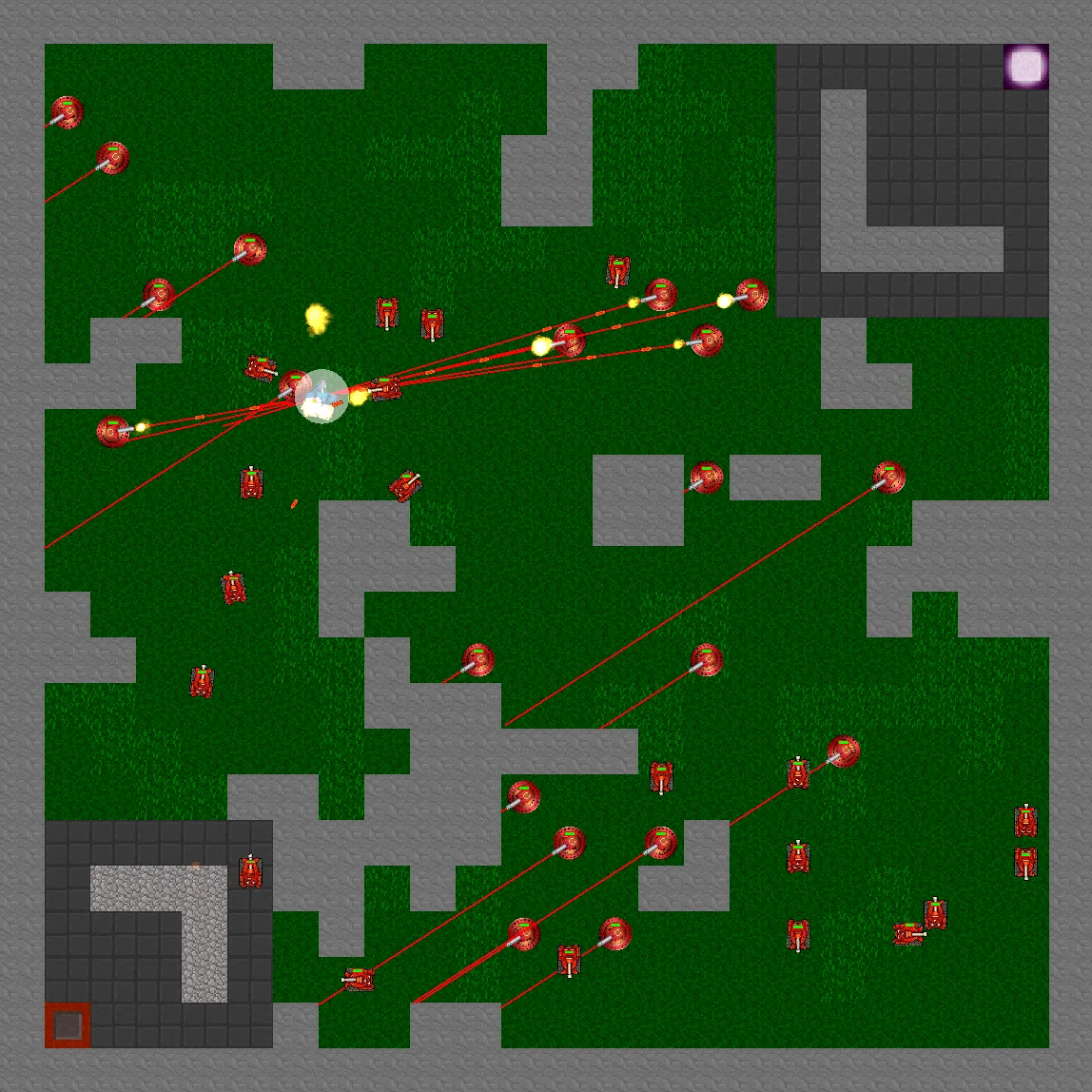
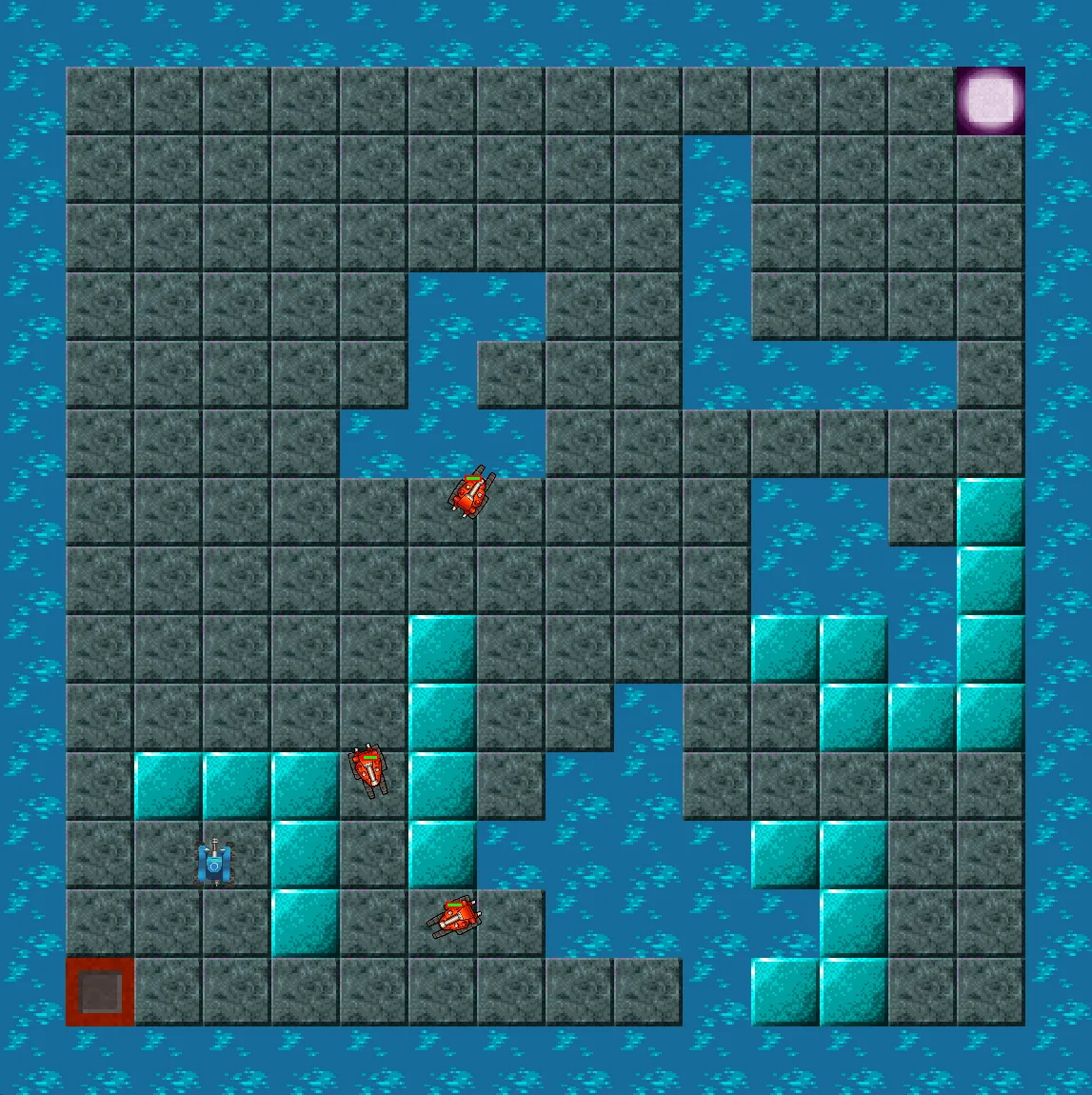
Maps generate from XML MapDefinition templates specifying dimensions, tile distributions, and carving parameters. A random-walk worm algorithm carves corridors through the tile grid, followed by a flood-fill reachability check to confirm that an open path exists from start to exit. If the check fails, the generator retries up to 100 times to guarantee completion.
Different map themes (grass, tunnel, and water) apply distinct tile palettes and parameter sets within the same generation pipeline.

AI navigation and heat map debug
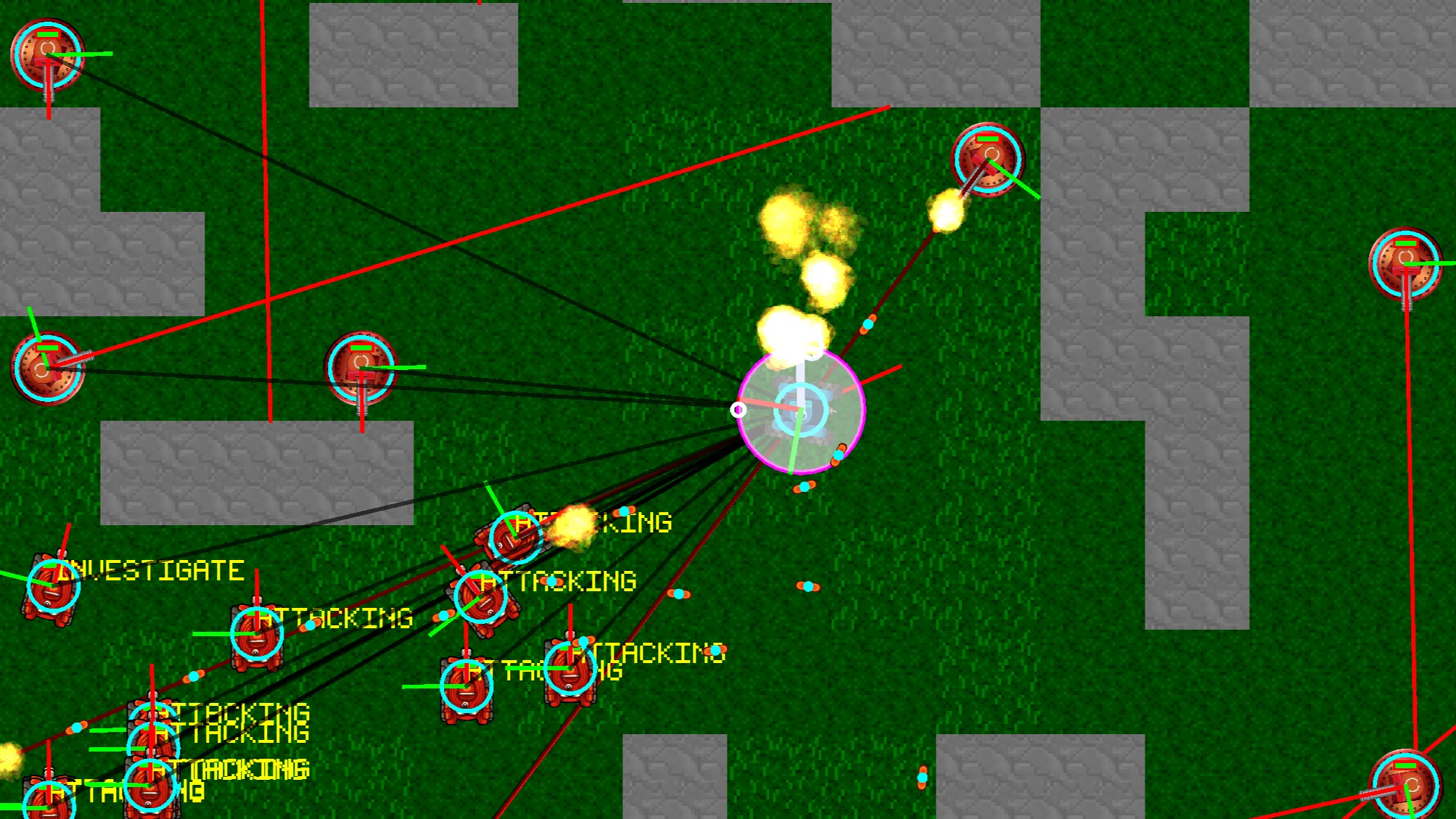
Enemy navigation uses distance-field heat maps computed over the tile grid. Each cell stores its tile distance to the player. Enemies sample neighboring cells and step down the gradient toward lower values, navigating around obstacles without explicit path graphs. The field updates only when the player crosses into a new tile.
Four debug overlay modes can be enabled at runtime to visualize distance numbers, vector flow directions, tile solidity, and entity occupancy costs.
Data-driven architecture
Configuration files under Run/Data/ store game parameters:
graph TD
    subgraph DataFiles["Run / Data"]
        GC["GameConfig.xml"]
        TD["TileDefinitions.xml"]
        MD["MapDefinitions.xml"]
        SD["SpriteSheetDefinitions.xml"]
    end

    subgraph Runtime
        TDef["TileDefinition"]
        MDef["MapDefinition"]
        Map["Map - Tile Grid"]
        Entity["Entity - Player and Enemy"]
    end

    GC --> Entity
    TD --> TDef
    MD --> MDef
    TDef --> Map
    MDef --> Map
    SD --> Entity
    Map --> Entity
GameConfig.xml sets entity movement speeds, cooldowns, and health values. TileDefinitions.xml defines tile solidity flags and texture coordinates. MapDefinitions.xml governs map dimensions, generator weights, and theme assignments.
Design decisions
XML data definitions
Enemy attributes, map generation parameters, and tile properties reside in XML. Balance adjustments take effect on restart without recompiling engine source.
Entity-specific physics responses
Push and pull behaviors are declared per enemy type rather than using uniform rigid body responses. Leos can be shoved, Scorpios act as immovable barriers, and Aries deflects frontal projectiles, shaping different tactical approaches.
Procedural validation checks
The map generator runs a flood-fill reachability check on carved maps, discarding layouts that lack a clear path from spawn to exit.
Real-time debug overlays
The distance-field heat map visualization, collision bounds, and AI state labels were built alongside gameplay mechanics, making it straightforward to trace navigation issues during development.
Distance fields for grid pathfinding
Using a scalar distance field over the grid provides obstacle-aware pathing for multiple enemies without running separate A* searches per unit, updating when the target changes cells.