Beaver Quest is a 2D top-down puzzle-adventure game built in Unity (C#) using the Universal Render Pipeline. Players guide a beaver through tile-based levels, carrying colored cubes onto matching pressure plates to open gates and solve puzzles. For this team capstone project (TGP1 Team 13), I served as the gameplay systems and tools programmer, building the core gameplay framework, tooling, and editor workflows.
Gameplay trailer
Core contributions
I implemented the following systems and editor tools to support level design and asset integration:
- Quest system: A ScriptableObject-based pipeline supporting sequential quest chains, automatic scene-level quest loading, and configurable delays.
- Scene management: Asynchronous additive loading and unloading with event callbacks (
Request,Loading,Complete) and an animated loading widget. - Puzzle tools: Color-matched pressure plates and cubes with instance-level IDs, allowing designers to set up multi-gate puzzles directly in the Inspector.
- HUD widgets: Multi-page tutorial popups, context-sensitive interaction prompts, an async loading bar, and a tile-placement preview.
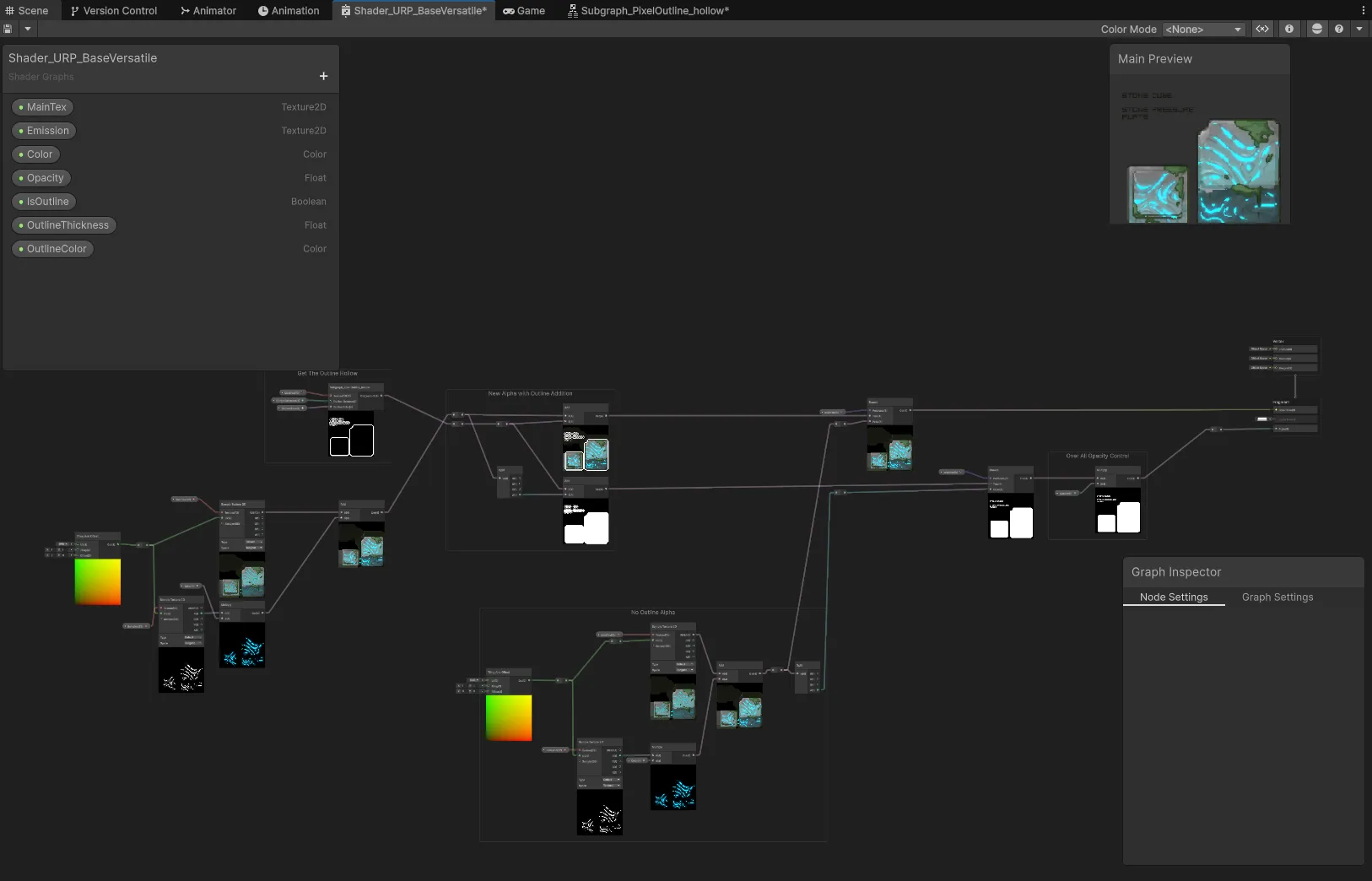
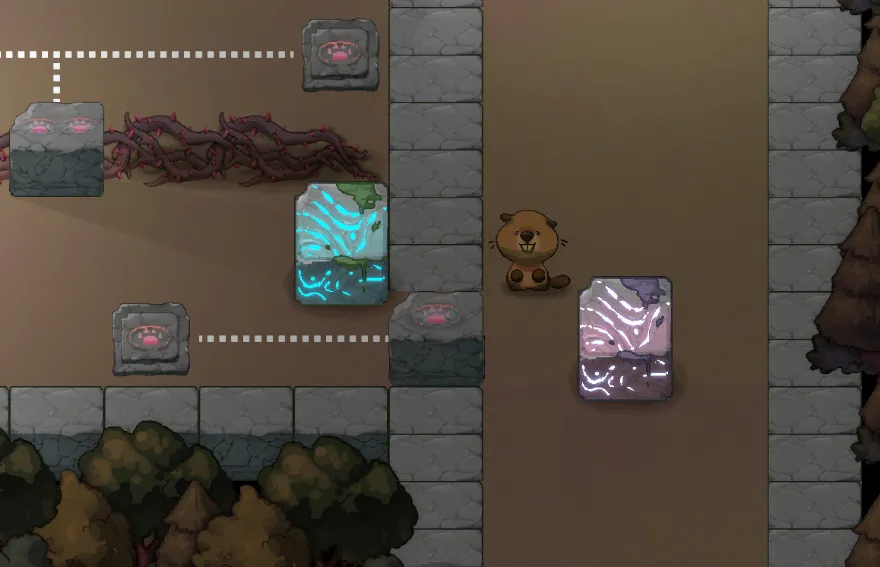
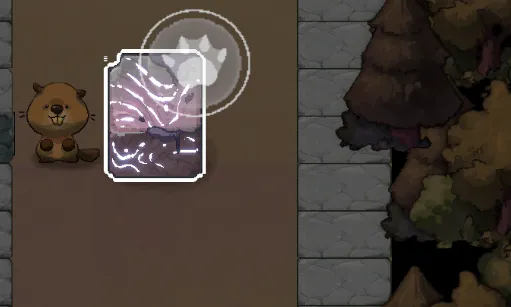
- Post-processing and materials: Parallax background layers with per-layer scroll rates, an interactable highlight system, and custom URP Shader Graph shaders for emission, outlines, and bloom.
- Supporting modules: An event-driven audio manager with mixer routing, camera zoom controls, a controller possession model, and saved user settings.
- Dynamic sorting: Y-axis sprite sorting responding to collider events to ensure correct visual layering during item pickup and placement.
System architecture
All modules communicate through a static event bus. Domain-specific event classes (such as SceneEvent, QuestManagerEvent, and PlateEvent) expose Action<T> delegates. Handlers subscribe on initialization and unsubscribe on destruction, keeping modules decoupled.
graph TD
    subgraph PersistenceScene["Persistence Scene (Never Unloaded)"]
        Bootstrap["Bootstrap"]
        SM["SceneManager"]
     QM["QuestManager"]
        AM["AudioManager"]
        CM["CameraManager"]
        PP["PostProcessView"]
        TM["TileMapManager"]
        CTRL["ControllerManager"]
        SET["SettingManager"]
   LW["LoadingWidget"]
    end

    subgraph LevelScene["Level Scene (Additive Loaded)"]
        META["SceneMetaView<br/>(Quest assets, flags)"]
        PV["PlayerView"]
        CUBE["CubeView<br/>(CubeColor)"]
        PLATE["PlateView<br/>(PlateID, AcceptCubeColor)"]
        WALL["WallView<br/>(PlateID match)"]
        PORTAL["PortalView"]
        POPUP["PopUpWidget<br/>(Tutorial pages)"]
    end

    Bootstrap -->|SceneRequestTransferEvent| SM
    SM -->|SceneLoadCompleteEvent| QM
    SM -->|SceneLoadCompleteEvent| PP
    SM -->|SceneLoadCompleteEvent| TM
    SM -->|SceneLoadingEvent| LW
    QM -->|Reads quest list from| META
    CUBE -->|PlateTriggeredEvent| PLATE
    PLATE -->|PlateTriggeredEvent| WALL
    PV -->|PlayerLayDownCubeEvent| CUBE
    CTRL -->|Possess / Unpossess| PV
    CM -->|CameraZoomEvent| PP
Gameplay and tooling systems
Quest system
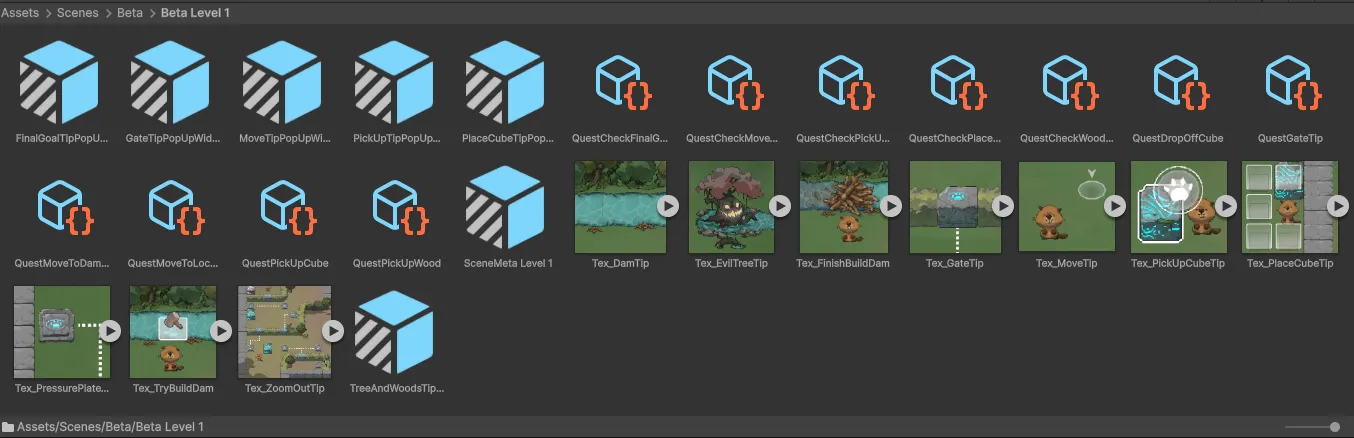
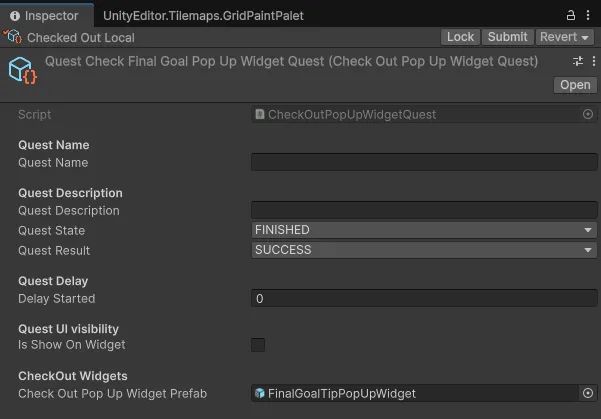
The quest system uses a Quest ScriptableObject base class. Each quest type (such as PickUpWoodQuest) overrides StartQuest() to listen for specific gameplay events and CompleteQuest() to announce completion. The QuestProcessHandler listens for QuestCompleteEvent and advances to the next step.
Every level contains a SceneMetaView component that lists quest assets in order. When SceneLoadCompleteEvent fires, QuestLoadHandler reads the list and populates QuestManager, letting designers build quest sequences without touching C# code.
Tutorial popup widget
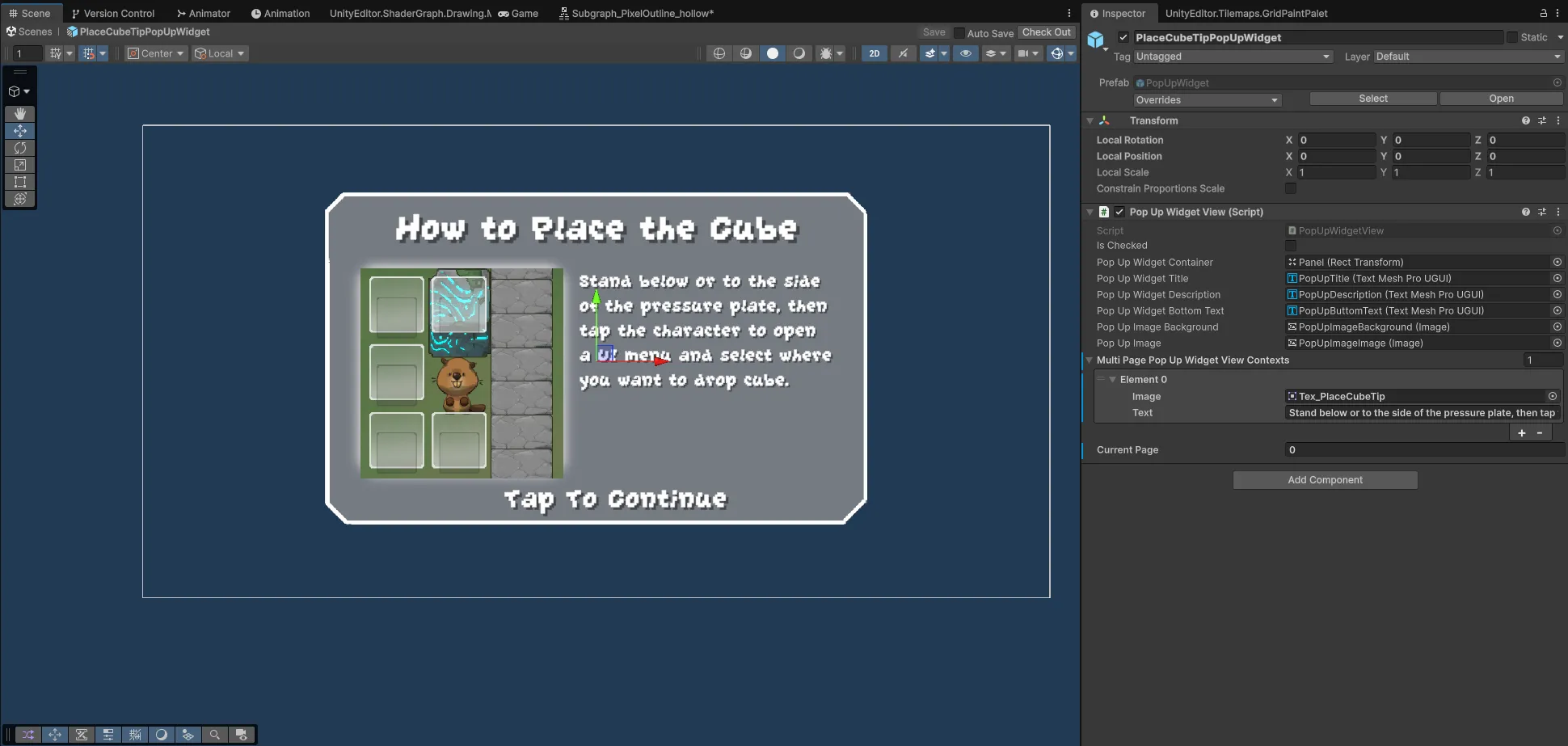
PopUpWidgetView accepts a collection of MultiPagePopUpWidgetViewContext objects containing sprite references and localized text. Designers configure tutorial slides in the Inspector with live preview in OnValidate(). Once the player pages through to the final slide, the widget fires PopUpWidgetReachLastPageEvent, which completes tutorial-bound quests.
Puzzle mechanics and tools
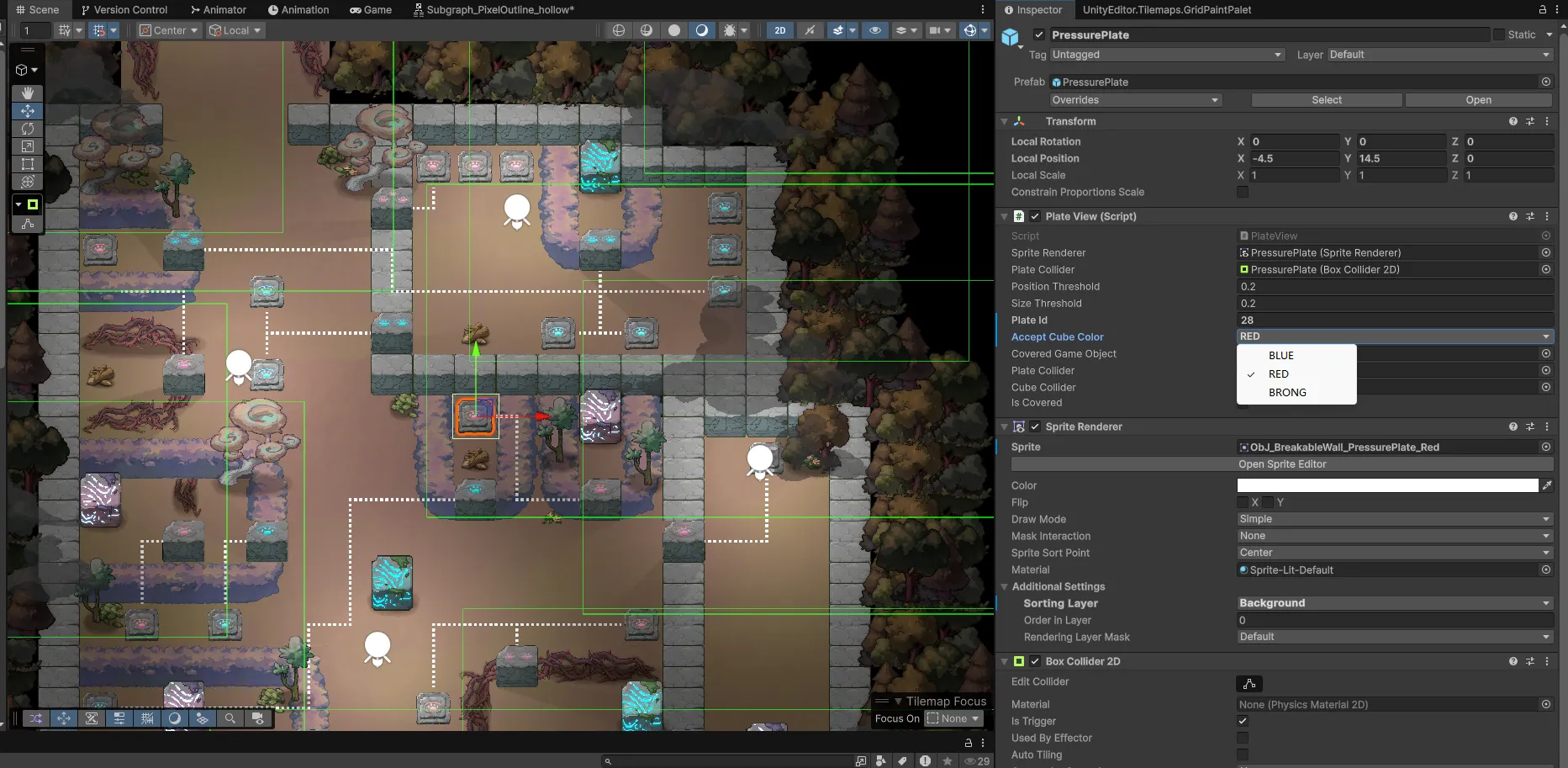
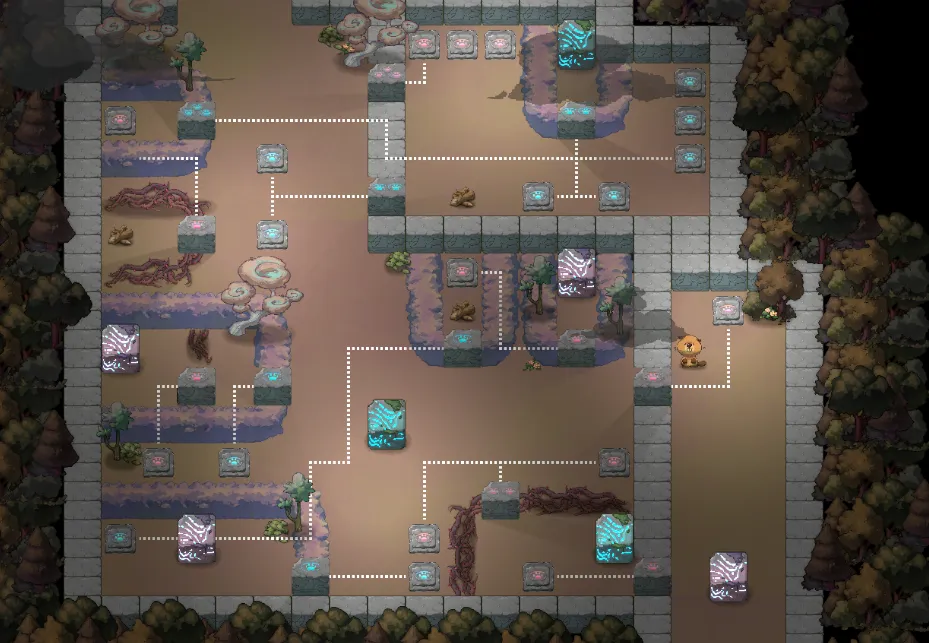
Puzzles use two core components: PlateView (pressure plate) and CubeView (movable cube). Each plate exposes plateId and acceptCubeColor, while cubes specify cubeColor. When a cube lands on a plate, PlateTriggeredHandler verifies color matching. If colors match, the plate triggers and broadcasts PlateTriggeredEvent, signalling matching wall blocks to retract.
An IsHeld flag on CubeView prevents plates from triggering while a cube is still carried by the player, preventing accidental activations while walking over plates.
URP materials and post-processing
I wrote custom URP Shader Graph shaders for emission, transparency, outlines, and bloom. PostProcessView coordinates background parallax layers, where each LayerView defines its own displacement rates and opacity curves. The object highlight system swaps materials using PostProcessDataSo, a ScriptableObject storing highlight and base material pairs.
Camera control and background parallax
CameraView tracks the player with configurable offset, zoom speed, bounding limits, and an optional reset setting. PostProcessView drives background parallax, scrolling layers at different rates based on zoom level to establish depth. The camera can also pan to key world events (such as obstacle clearance) before returning to the player.
Scene management and loading widget
SceneManagerView manages asynchronous additive scene transitions using coroutines. LoadWidgetView listens to the scene transition events, reporting progress, level name, and current loading stage before fading out.
Settings system
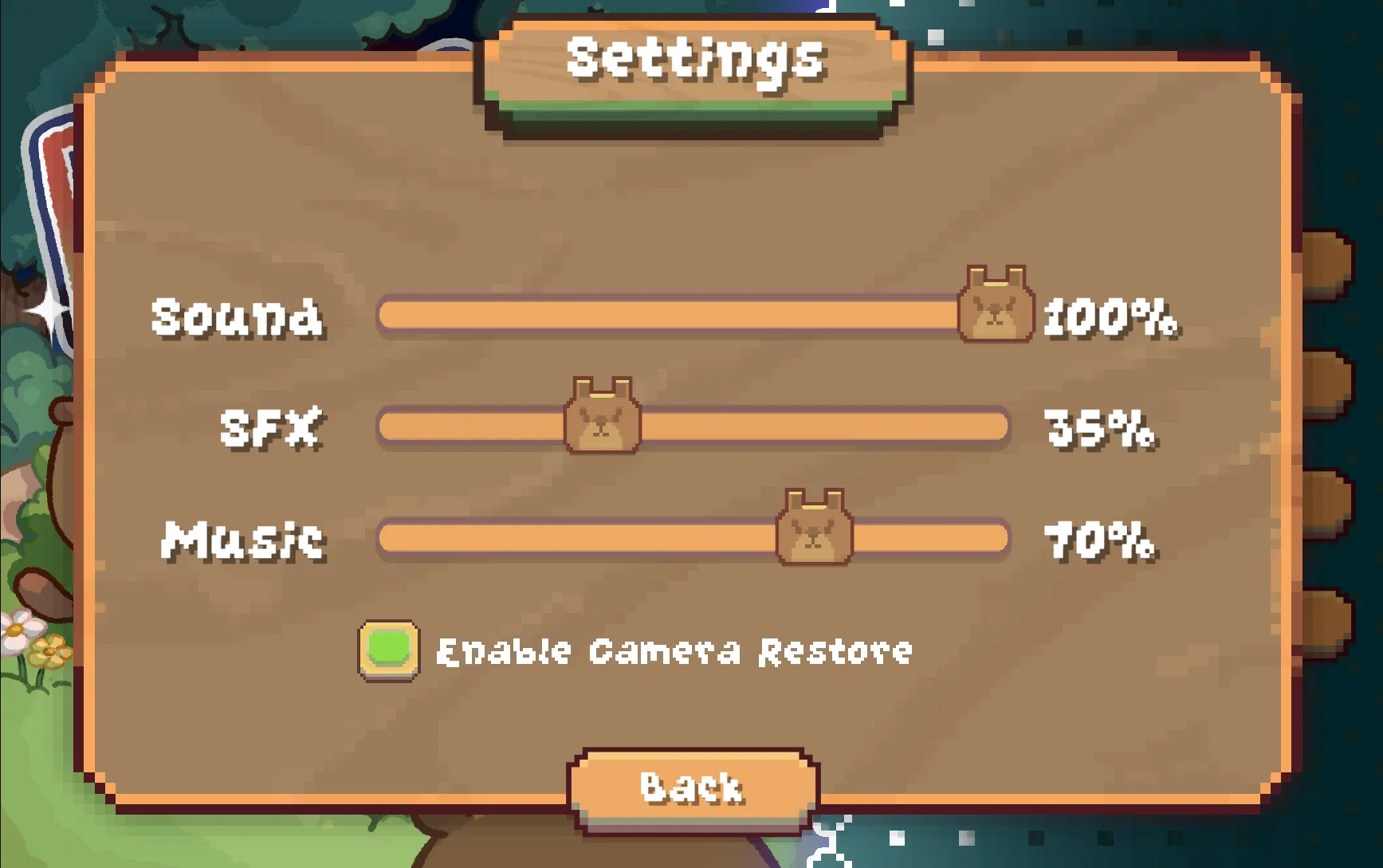
The settings panel controls master, sound effects, and music volumes alongside camera reset toggles. Values persist in a SettingsData asset and route to the AudioMixer at runtime, playing confirmation audio clips when sliders move.
Design decisions
ScriptableObject-driven data
Quests, audio configurations, post-process parameters, and scene metadata are defined in ScriptableObjects. Designers can adjust and chain content in the Unity Inspector without editing scripts.
Event bus decoupling
Modules interact through static Action<T> delegates grouped into domain-specific event classes. Handlers register on setup and unregister on teardown, avoiding direct cross-module references and keeping subsystems easy to isolate.
View and handler separation
MonoBehaviour View scripts delegate business logic to plain C# handler classes. For instance, QuestManagerView delegates to QuestLoadHandler and QuestProcessHandler, keeping Unity lifecycle methods light and business logic testable.
Inspector-first workflows
Pressure plates, cubes, and quest nodes expose their identifiers and matching conditions as inspector fields, letting designers build puzzle stages without custom code.
Additive scene separation
A persistent scene hosts central managers (audio, camera, quests, scenes, and settings), while puzzle levels load additively. Each level scene’s SceneMetaView supplies local quest definitions.