Beaver Quest is a 2D top-down puzzle-adventure game built in Unity (C#) with the Universal Render Pipeline. Players guide a beaver through tile-based levels, carrying colored cubes onto matching pressure plates to unlock gates and progress through increasingly complex puzzles. This was a team capstone project (TGP1 Team 13) where I served as the gameplay systems and tools programmer, solely responsible for the core framework that every other team member built their content on top of.
Gameplay Trailer
My Contributions
I independently designed and implemented the following systems and modules, providing Level Designers and Artists with a highly flexible, Inspector-friendly framework for building puzzle content and tutorials without touching C#:
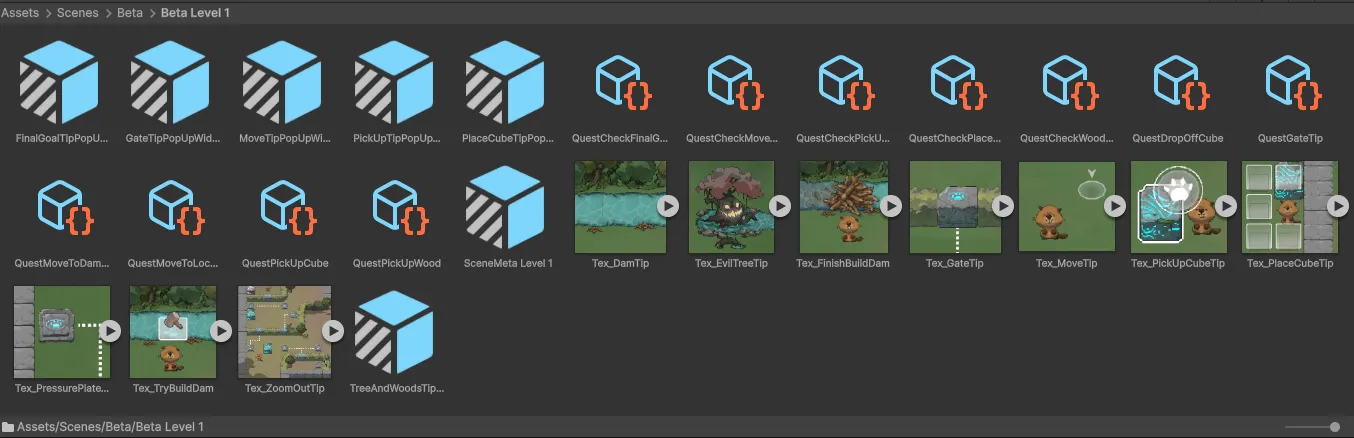
- Quest System — A data-driven, ScriptableObject-based quest pipeline with automatic scene-level quest loading, sequential quest chaining, and configurable delay/UI visibility per quest. Designers create new quest types by subclassing
Questand dropping assets into the scene’sSceneMetaView. - Scene Management Pipeline — Async additive scene loading/unloading with a full event lifecycle (
Request,Loading,Complete), enabling seamless level transitions and a loading widget that tracks real-time progress. - Puzzle Tooling (Pressure Plate + Cube) — Color-matched plate/cube puzzle system with configurable
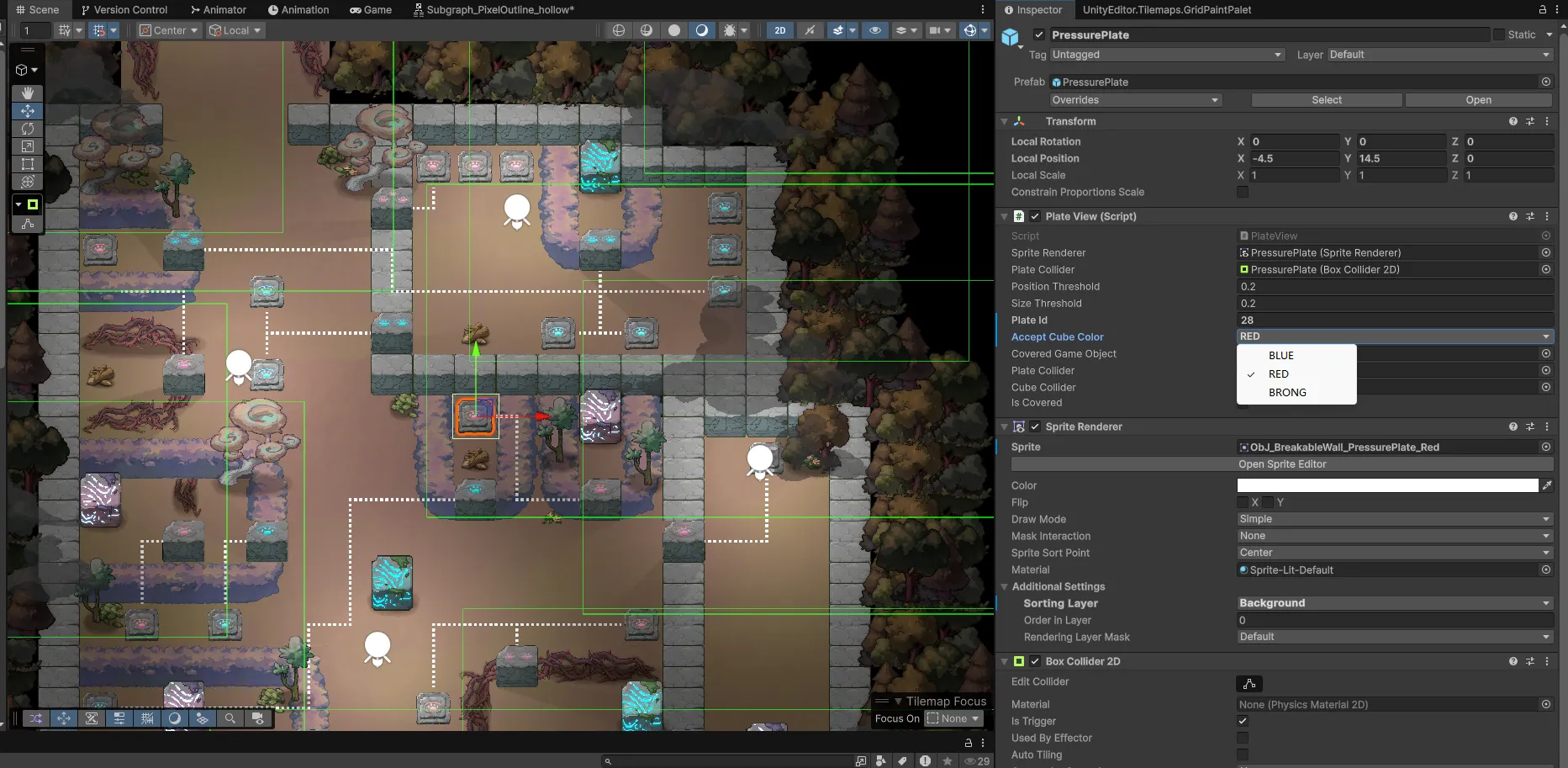
PlateIDandAcceptedCubeColorper instance, allowing Level Designers to wire up complex multi-gate puzzles entirely in the Inspector. - HUD Widgets — PopUp Widget for multi-page tutorial dialogues with images, Interact Button Widget for context-sensitive world-space prompts, Loading Widget for async progress tracking, and Cube Place Selection UI for tile-based placement preview.
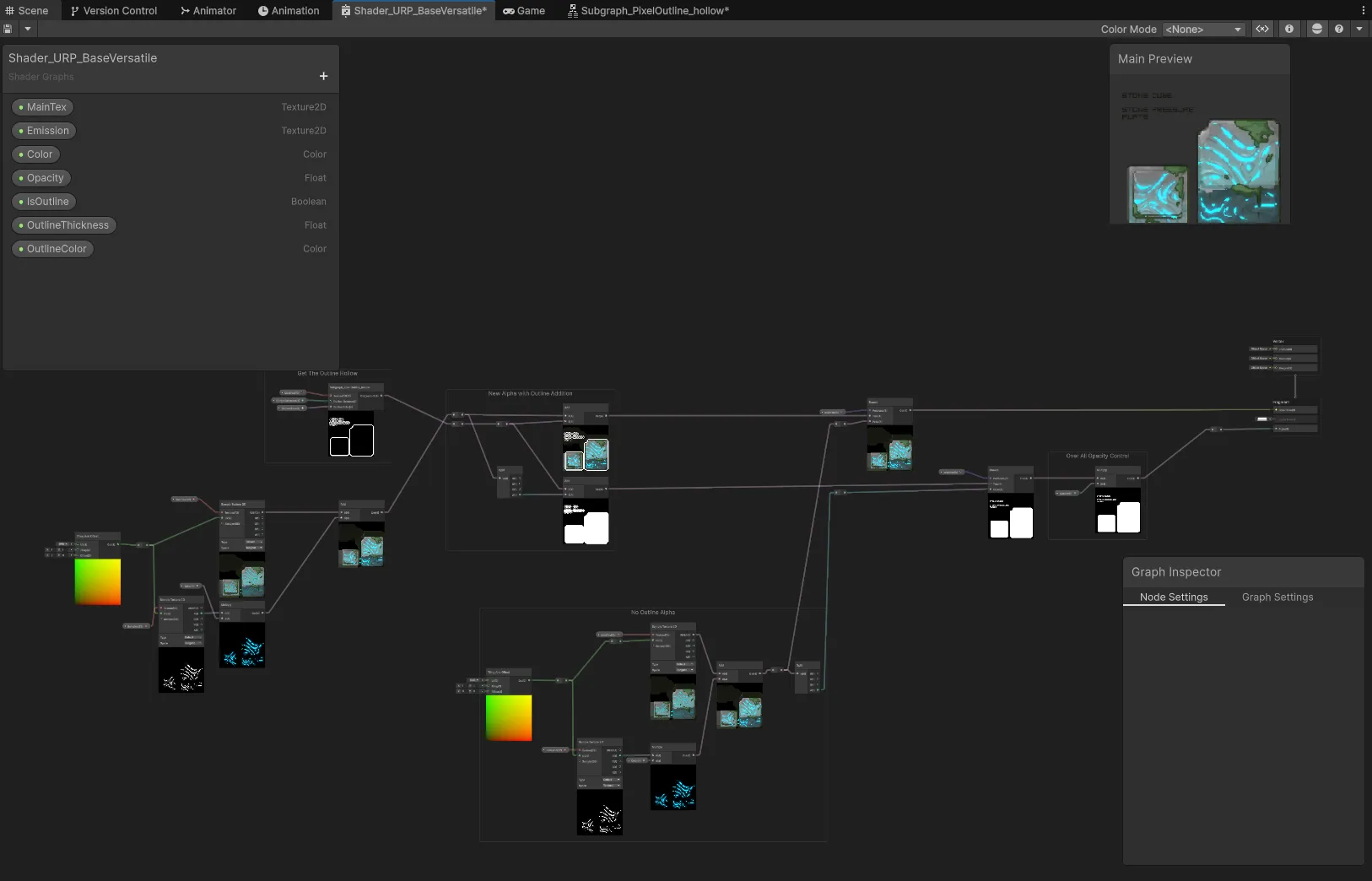
- PostProcess & URP Materials — Configurable background parallax layers with per-layer stretch direction and opacity, object highlight system, and custom URP Shader Graph materials for emission, outline, and bloom effects.
- Audio / Camera / Controller / Settings Modules — Event-driven AudioManager with mixer routing, camera zoom with configurable auto-restore, a Possess/Unpossess controller architecture, and a persistent settings system with volume and camera preference controls.
- Dynamic Sorting Layer — Y-position-based sprite sorting that responds to collider state events, ensuring correct visual layering when the player picks up or puts down cubes.
System Architecture Overview
All modules communicate through a static event bus pattern. Each domain defines a static event class (e.g., SceneEvent, QuestManagerEvent, PlateEvent) holding Action<T> delegates. Handlers subscribe in constructors and unsubscribe on destroy. No module holds a direct reference to another, and the event bus is the only coupling point.
graph TD
    subgraph PersistenceScene["Persistence Scene (Never Unloaded)"]
        Bootstrap["Bootstrap"]
        SM["SceneManager"]
     QM["QuestManager"]
        AM["AudioManager"]
        CM["CameraManager"]
        PP["PostProcessView"]
        TM["TileMapManager"]
        CTRL["ControllerManager"]
        SET["SettingManager"]
   LW["LoadingWidget"]
    end

    subgraph LevelScene["Level Scene (Additive Loaded)"]
        META["SceneMetaView<br/>(Quest assets, flags)"]
        PV["PlayerView"]
        CUBE["CubeView<br/>(CubeColor)"]
        PLATE["PlateView<br/>(PlateID, AcceptCubeColor)"]
        WALL["WallView<br/>(PlateID match)"]
        PORTAL["PortalView"]
        POPUP["PopUpWidget<br/>(Tutorial pages)"]
    end

    Bootstrap -->|SceneRequestTransferEvent| SM
    SM -->|SceneLoadCompleteEvent| QM
    SM -->|SceneLoadCompleteEvent| PP
    SM -->|SceneLoadCompleteEvent| TM
    SM -->|SceneLoadingEvent| LW
    QM -->|Reads quest list from| META
    CUBE -->|PlateTriggeredEvent| PLATE
    PLATE -->|PlateTriggeredEvent| WALL
    PV -->|PlayerLayDownCubeEvent| CUBE
    CTRL -->|Possess / Unpossess| PV
    CM -->|CameraZoomEvent| PP
Core Implementation Skills
Quest System: Data-Driven Sequential Quests
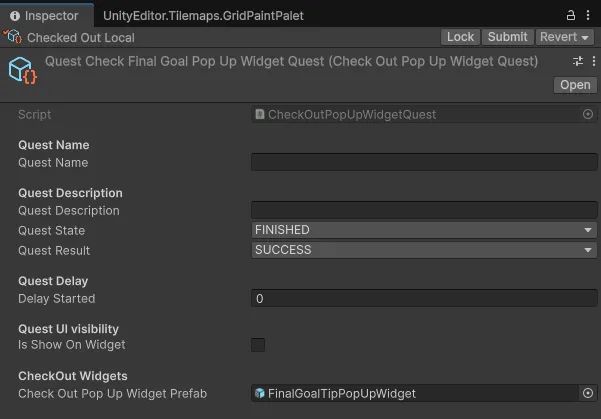
The Quest System is built on a Quest ScriptableObject base class. Each concrete quest type (e.g., PickUpWoodQuest) overrides StartQuest() to subscribe to the relevant gameplay events and CompleteQuest() to broadcast completion. The QuestProcessHandler listens for QuestCompleteEvent and automatically initializes the next quest in the sequence. Designers simply order quest assets in the SceneMetaView list.
Each scene embeds a SceneMetaView component that holds an ordered list of Quest ScriptableObject assets and a flag for automatic activation. When the SceneManager fires SceneLoadCompleteEvent, the QuestLoadHandler reads the scene’s quest list and populates the QuestManager. No code changes are needed to add, remove, or reorder quests. It’s all Inspector work.
PopUp Widget: Multi-Page Tutorial Dialogues
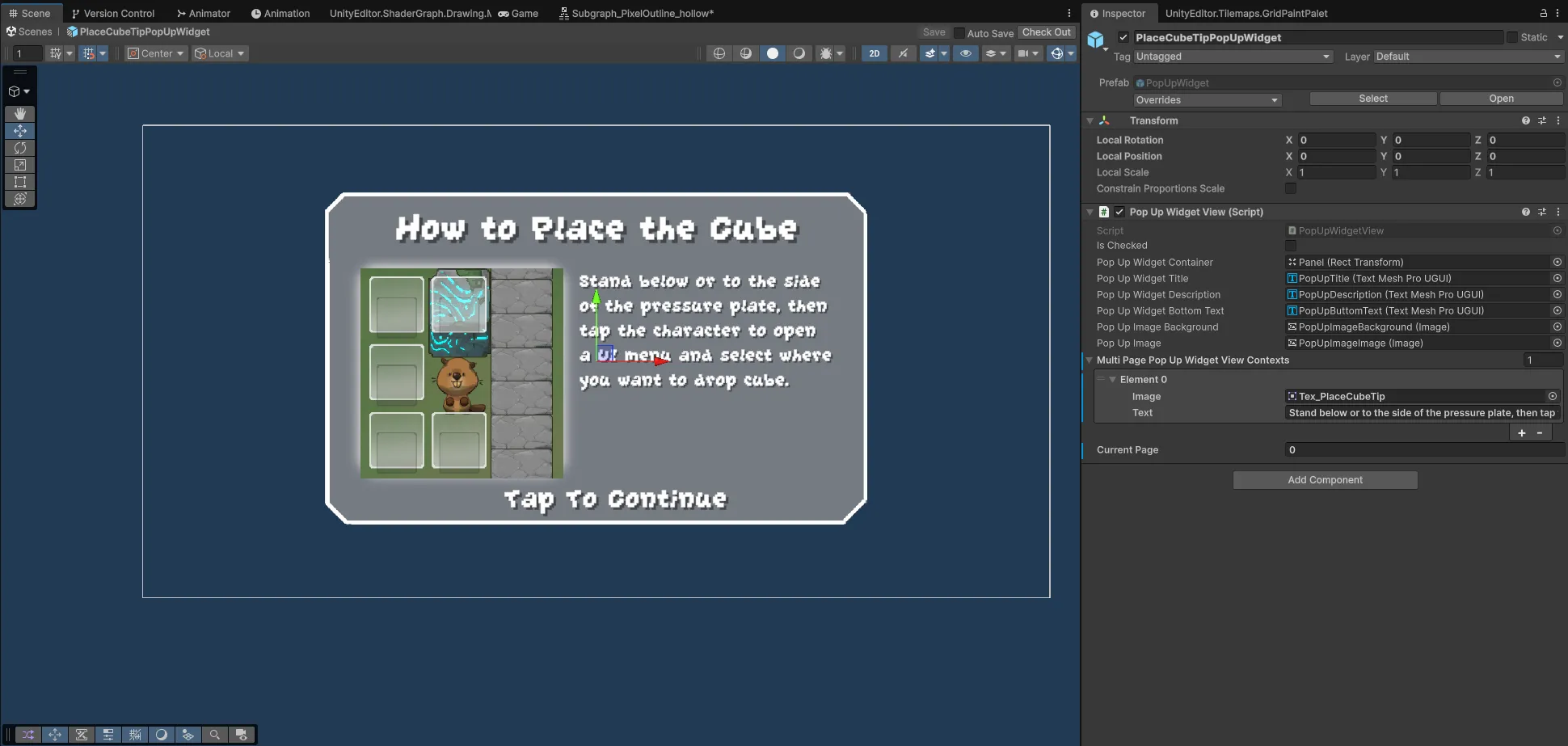
The PopUpWidgetView supports a list of MultiPagePopUpWidgetViewContext entries, each containing a sprite and text string. Designers configure tutorial pages directly in the Inspector with live preview via OnValidate(). The widget handles page navigation, and on reaching the last page broadcasts PopUpWidgetReachLastPageEvent, which the Quest System listens to for quest completion.
Puzzle Tooling: Pressure Plates and Colored Cubes
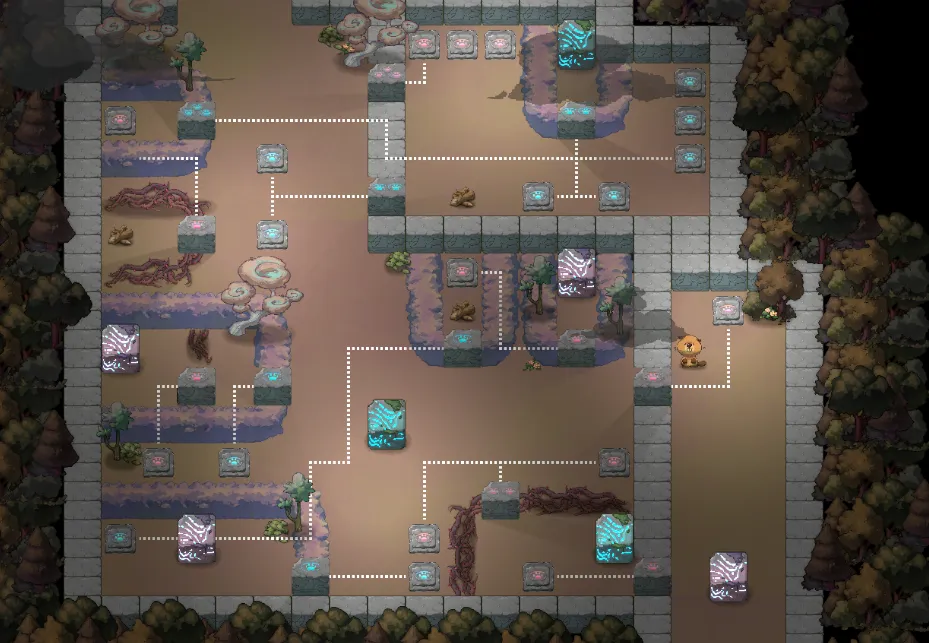
The puzzle system revolves around two configurable components: PlateView (pressure plate) and CubeView (movable cube). Each plate exposes plateId and acceptCubeColor in the Inspector, and each cube exposes cubeColor. When a cube lands on a plate, the PlateTriggeredHandler checks color matching. Only a matching cube activates the plate and broadcasts PlateTriggeredEvent with the plateId. Walls subscribe to this event and open when their matching plate ID is triggered.
The IsHeld flag on CubeView prevents false plate activations while the player is carrying a cube, a subtle but critical detail that eliminates edge-case bugs in the puzzle logic.
URP Materials and Post-Processing
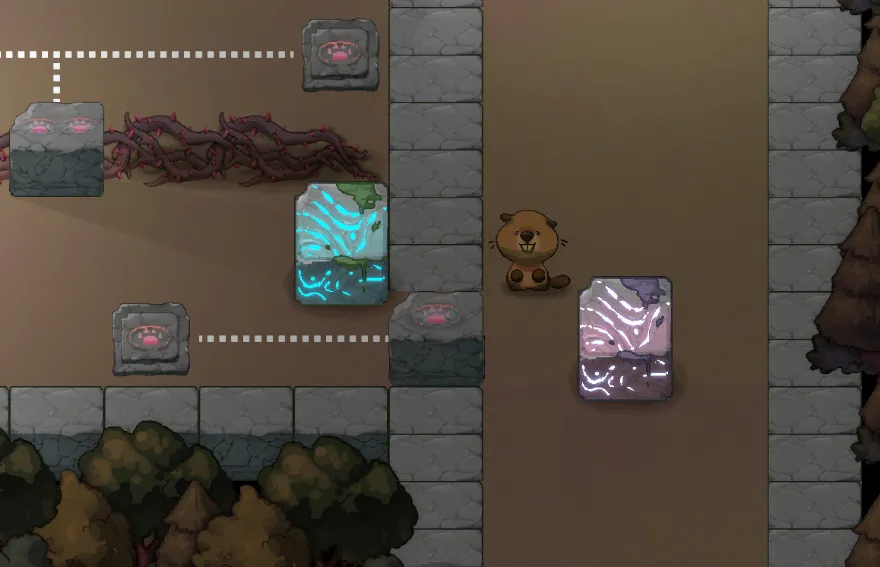
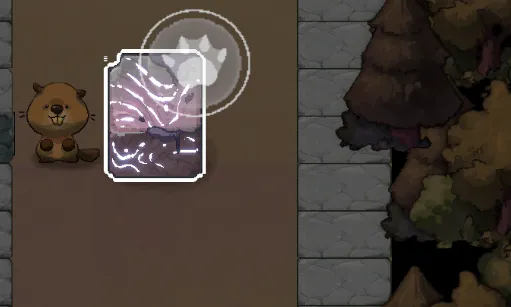
I authored custom URP Shader Graph materials for emission, opacity, outline, and bloom effects. The PostProcessView manages a configurable parallax layer system. Each LayerView has Inspector-exposed stretch direction, displacement rate, and opacity curve, allowing artists to build depth-rich backgrounds without code. The highlight system swaps materials on interactable objects via PostProcessDataSo, a ScriptableObject that stores highlight and default materials.
Camera Control and Background Parallax
The CameraView provides smooth player-following with configurable offset, zoom speed, min/max bounds, and an optional auto-restore feature (controlled via the Settings system). The PostProcessView drives a list of LayerView foreground/background layers. Each layer scrolls at a different rate based on camera zoom percentage, creating a parallax depth effect. The camera also supports cinematic panning (e.g., moving to show an EvilTree death sequence) before returning to player follow mode.
Scene Management and Loading Widget
The SceneManagerView handles async additive scene loading and unloading through a coroutine-based pipeline. The LoadWidgetView subscribes to the full scene event lifecycle and displays real-time progress with scene name, loading percentage, and stage count. The widget auto-hides after a configurable delay once loading completes.
Settings System
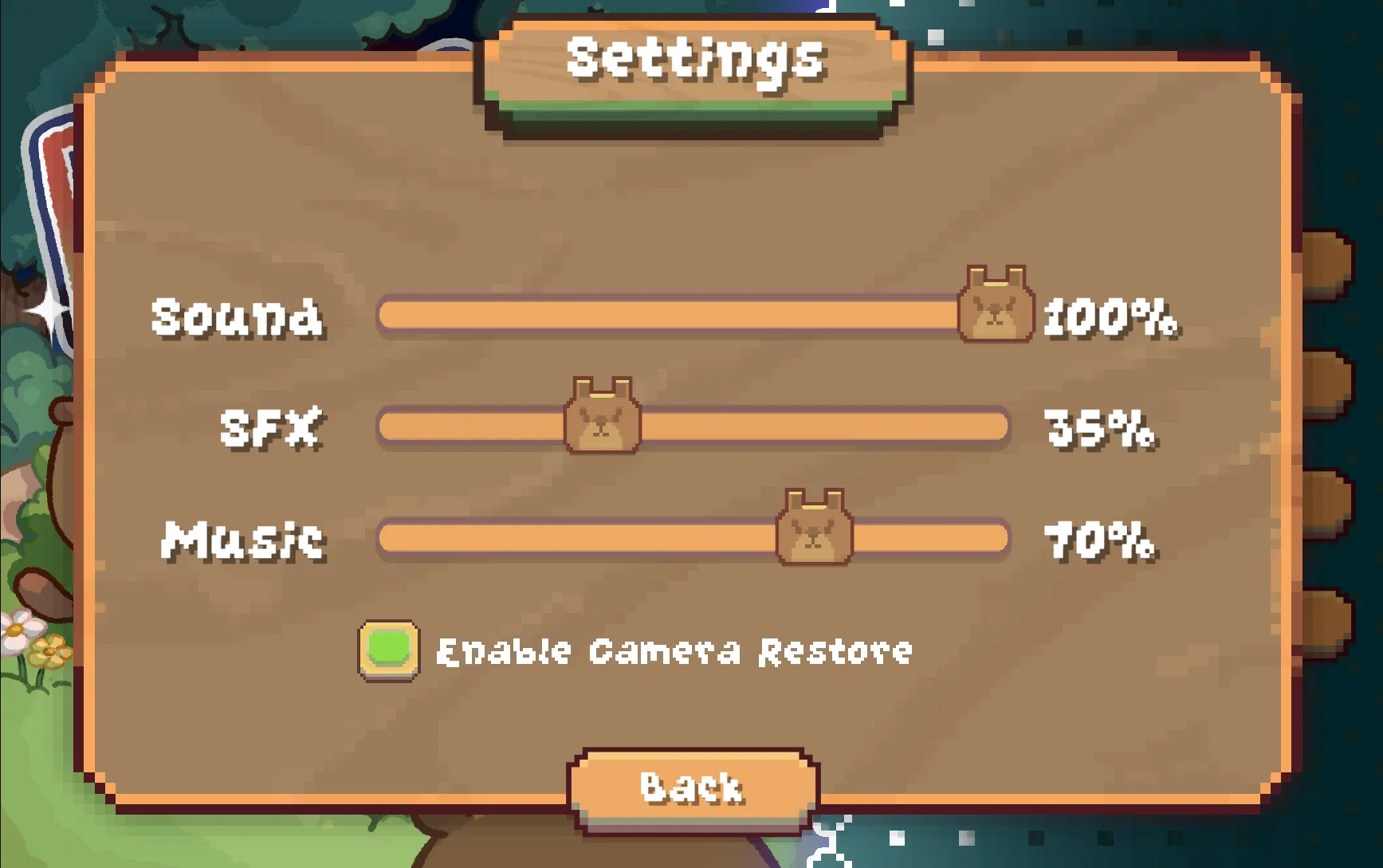
The SettingWidget exposes master volume, SFX volume, music volume, and a camera auto-restore toggle. Values are persisted through a SettingsData ScriptableObject and applied to the AudioMixer in real-time. The settings UI plays sound feedback on interaction, providing immediate audio confirmation of volume changes.
Design Philosophy
Across all systems, several principles guided the architecture:
ScriptableObject-Driven Content — Quests, audio data, post-process settings, and scene metadata are all ScriptableObjects. Designers create, configure, and reorder content assets in the Inspector without opening a code editor. New quest types require only a small subclass and everything else is data.
Static Event Bus Decoupling — Every module communicates through static Action<T> delegates grouped in domain-specific event classes (SceneEvent, QuestManagerEvent, PlateEvent, AudioEvent, CameraEvent). Handlers subscribe in constructors and unsubscribe on destroy. No module holds a direct reference to another. The event bus is the sole coupling point, making systems independently testable and hot-swappable.
Handler Separation (View + Handler Pattern) — Each MonoBehaviour “View” delegates business logic to plain C# “Handler” classes. QuestManagerView owns QuestLoadHandler and QuestProcessHandler. CameraView owns CameraMovementHandler and CameraInputHandler. This keeps MonoBehaviours thin and logic unit-testable.
Designer-Friendly Inspector Workflow — Pressure plates expose PlateID and AcceptCubeColor. Cubes expose CubeColor. Quests expose delay, UI visibility, and completion thresholds. Parallax layers expose stretch direction and opacity curves. Level Designers wire up entire puzzle levels and tutorial sequences without writing a single line of code.
Additive Scene Architecture — A persistent scene holds all managers (Audio, Camera, Quest, Scene, PostProcess, TileMap, Controller, Settings). Level scenes are loaded/unloaded additively. The SceneMetaView in each level scene carries that level’s quest data, ensuring clean separation between framework and content.